
What's New in Drumee: November 2026 Product Update
The new version of Drumee is a rebuilt workspace platform, running today as a hosted service at app.drumee.com. Each workspace now holds a project's files, conversations, tasks and meetings under one role model, with Drumee's own Office engine, se...
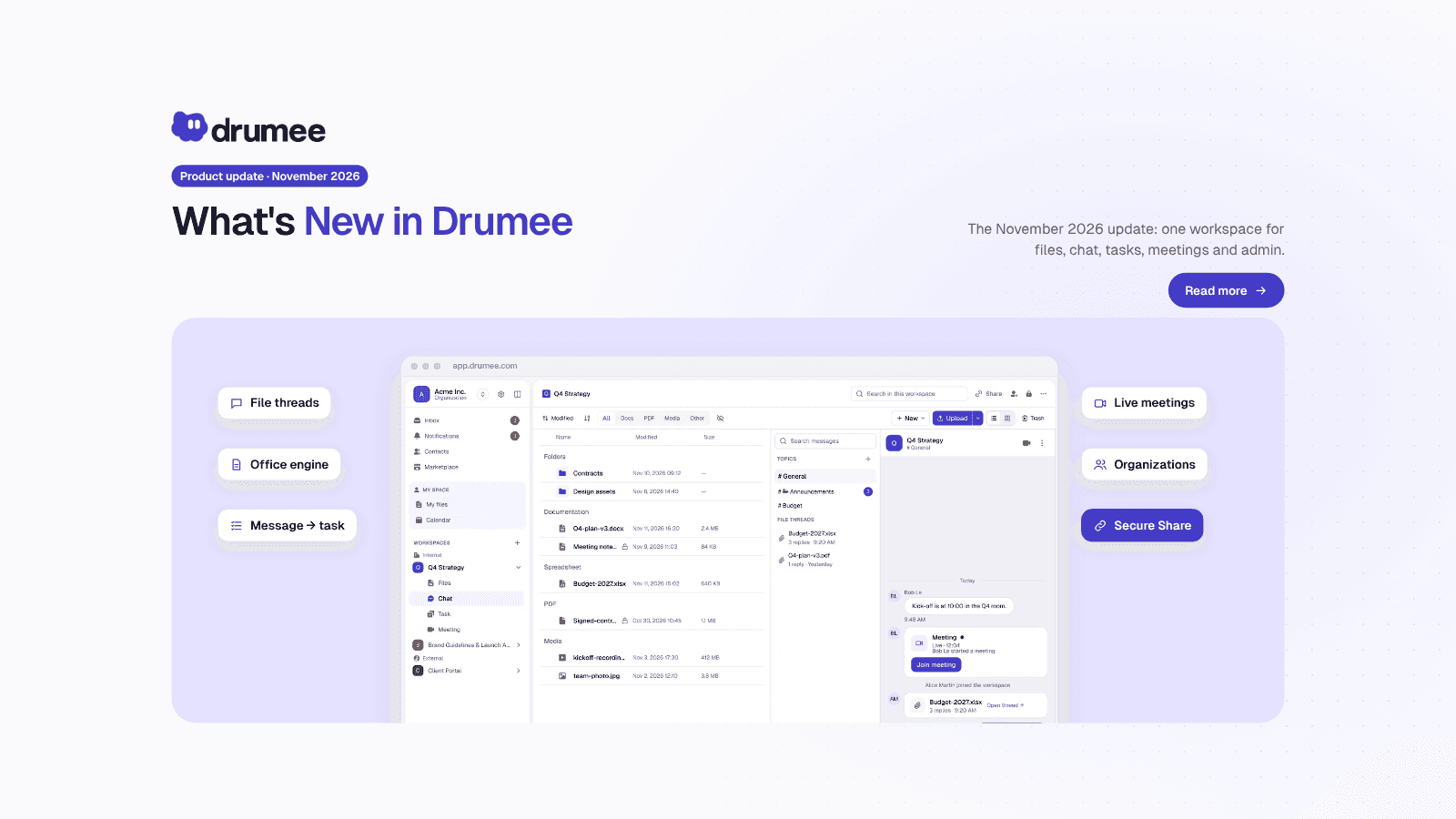
The new Drumee workspace brings files, folder-native chat, a task board and meetings together under one set of roles
The new version of Drumee is a rebuilt workspace platform, running today as a hosted service at app.drumee.com. Each workspace now holds a project's files, conversations, tasks and meetings under one role model, with Drumee's own Office engine, secure client sharing and organization-level administration. This post is the map of what changed and what comes next.
The November 2026 update at a glance
Drumee's November 2026 update reorganizes everything around the workspace: files, folder-native chat with file threads, tasks you create straight from a message, boards with six views, and meetings, all under one role per person. Word, Excel and PowerPoint files are co-edited in the browser by Drumee's own engine. The self-hosted edition is coming soon.
Drumee describes itself as sovereign data infrastructure: an OS-like system that turns a file system into a collaborative workspace. The update makes that idea concrete in the product you can sign in to today.
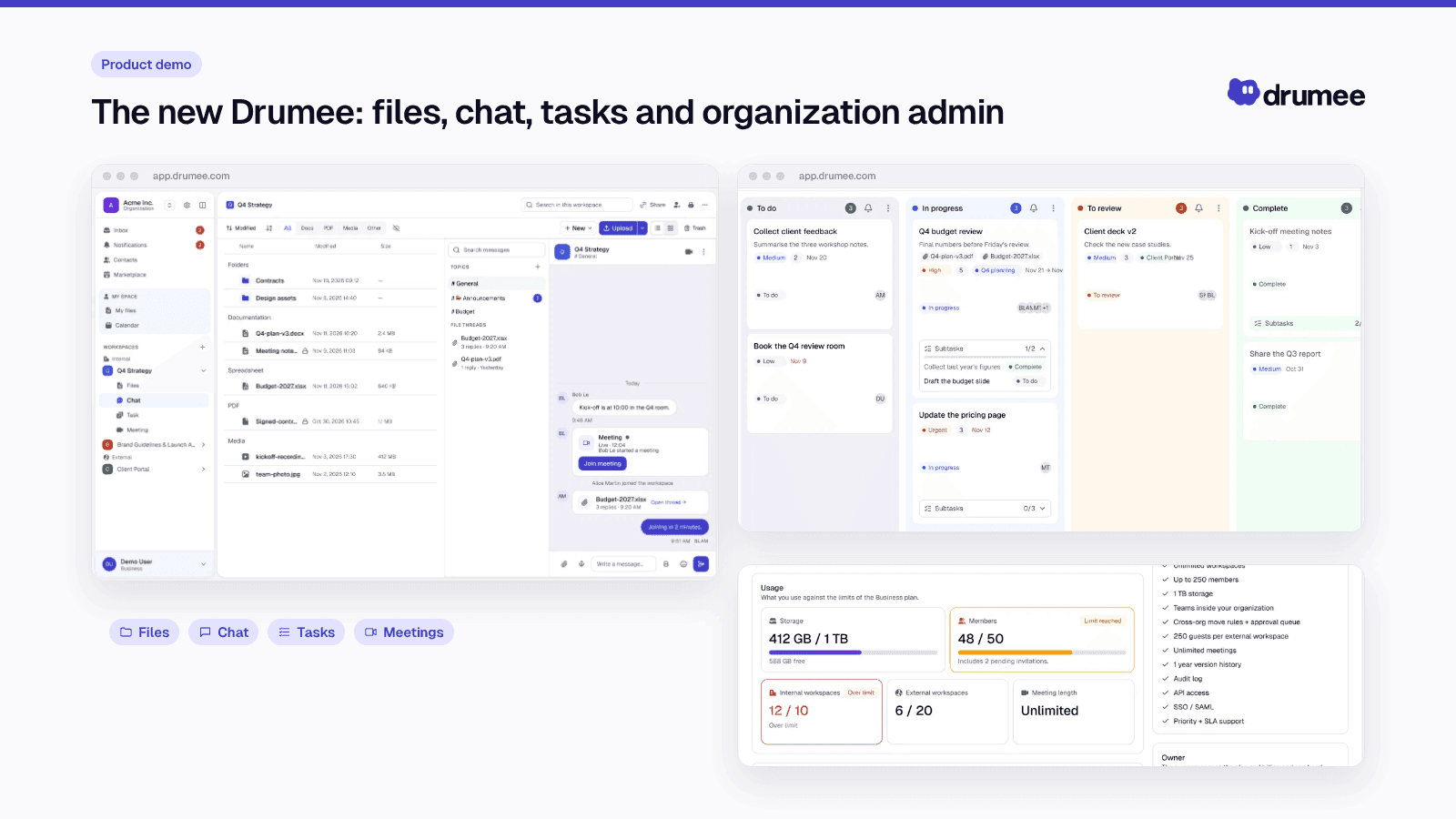
One workspace, four sections: Files, Chat, Task and Meeting.
The workspace is now the unit of work
The biggest change is a mental model. The Drumee docs put it in one line: not "Where do I store this file?" but "What workspace does this work belong to?"
A workspace is the room for one project. It has four sections:
- Files: folders and files, previews, versions and a 30-day trash.
- Chat: a conversation per workspace, topics, threads on a file, direct messages and mentions.
- Task: boards with columns, sprints, labels, comments and history, plus a calendar.
- Meeting: audio and video rooms, 1:1 calls, screen sharing and guest links with a lobby.
Each person has one role per workspace: Viewer, Chatter, Editor, Admin or Owner. That role covers files, chat, tasks and meetings alike, and the server checks it on every request. There is no second permission system to keep in step.
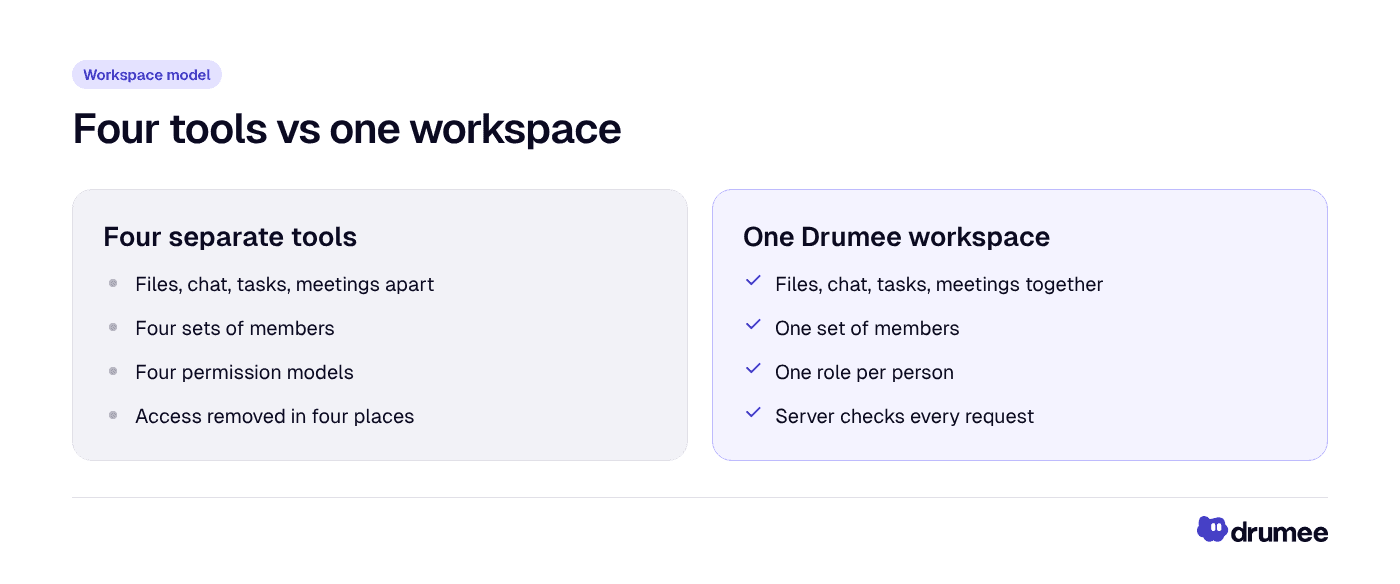
Four tools mean four sets of members and four permission models; one workspace means one of each.
This is the practical answer to tool sprawl. When someone leaves, access is removed in one place instead of four, and nobody has to reconcile who can see what across separate products.
Drumee's own Office engine
Double-click a Word, Excel or PowerPoint file and it opens in the browser. No Office install is needed. Several people can type at once, every change is saved automatically, and History shows who changed what, with restore.
The engine is developed by Drumee, not embedded from a third-party document server. It edits .docx, .xlsx, .xlsm and .pptx, and the same workspace role decides who can edit. The full story is in Drumee's Office engine: edit Word documents online together.
Chat that lives next to the files
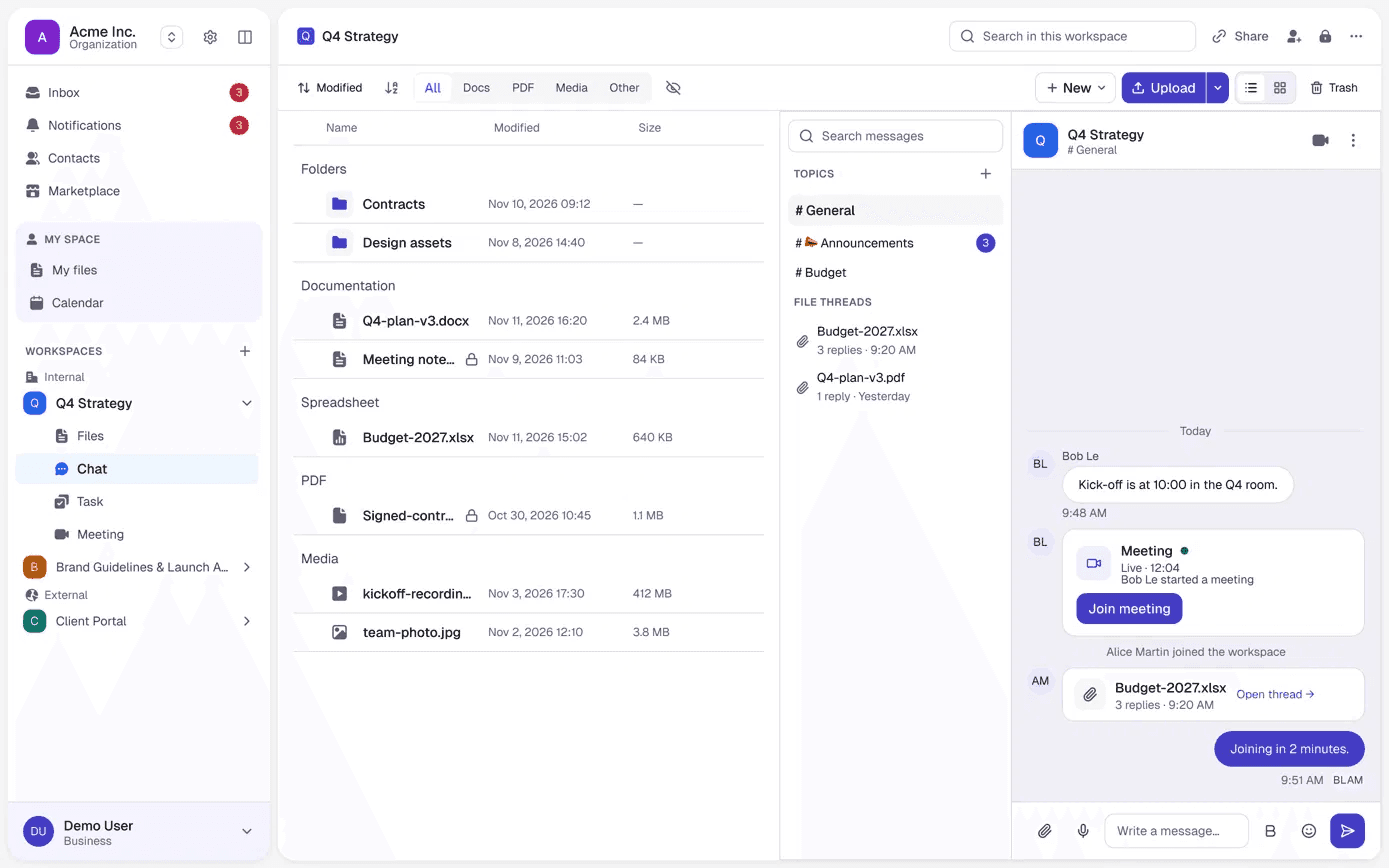
Chat is no longer a separate app. Every workspace has a #General channel, you add topics with +, and every file has its own thread, so feedback stays on the right document.
Two shortcuts connect chat to the rest of the workspace:
- Type /task to mention a task.
- Type /folder to link a folder or file.
Video or voice calls start from the buttons at the top of the channel.
From message to task, and a board with six views
When someone writes "Can someone draft the launch email by Thursday?", you no longer copy it into another tool. Hover over the message, click the create-task icon, and the message is pre-filled as the task description. Add a title, priority, assignee, due date and labels, then click Create.
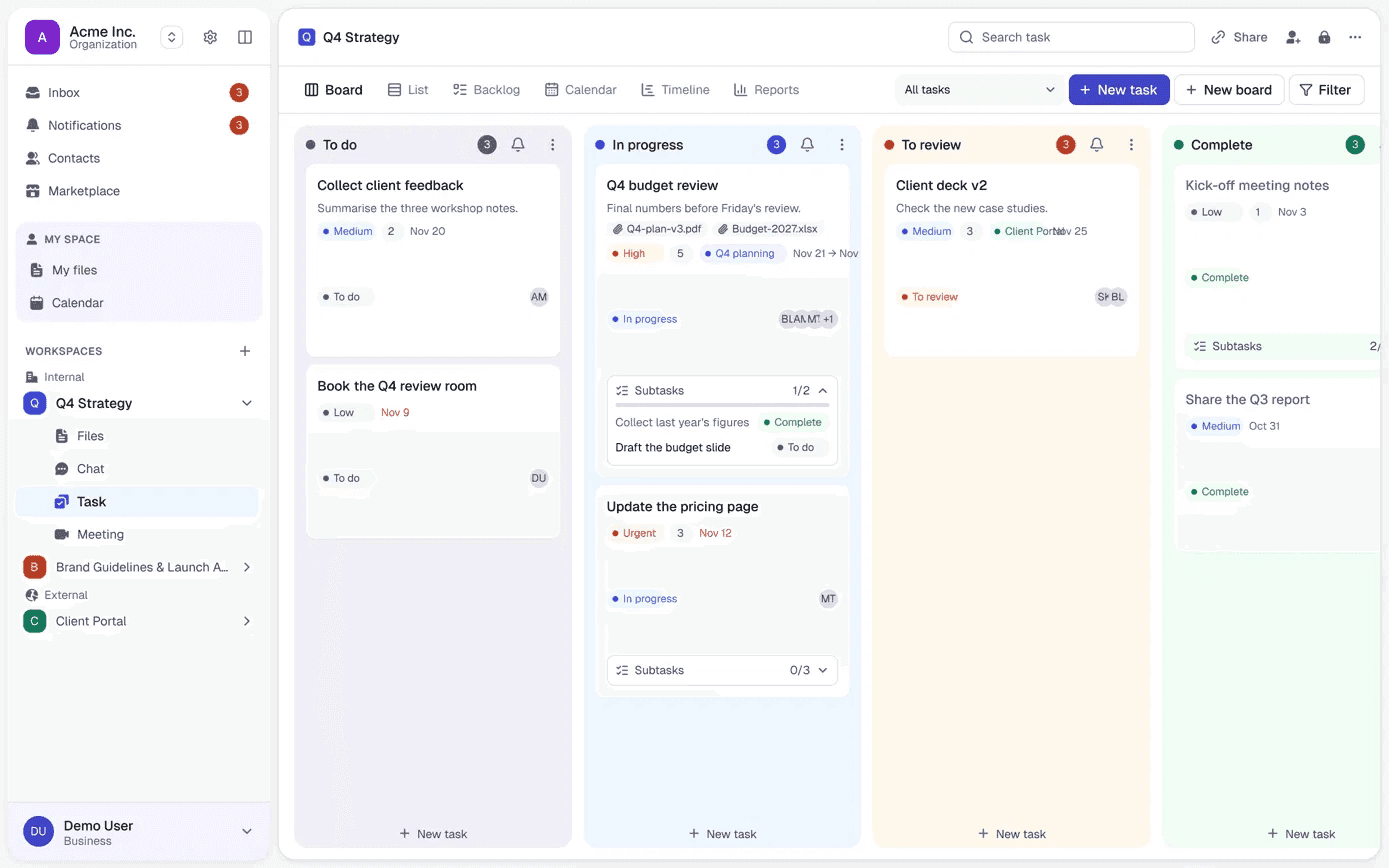
The new task sits in To do on a board with four columns: To do, In progress, To review and Complete. Cards carry subtasks, comments and history. Switch to List, Backlog, Calendar, Timeline or Reports for sprints, burndown and workload. The whole flow is covered in how to turn chat messages into tasks in Drumee.
Meetings inside the workspace
Meetings belong to the project too. Open the Meeting section, click Schedule, add a title and agenda, pick the time and invitees, and Drumee warns you if someone is busy. Repeat and reminders are built in.
Need to talk now? Start a Meeting, and colleagues in the workspace see it in progress and click to join.
Internal and External workspaces, with Secure Share
Every workspace is either Internal (your organization only) or External (clients and partners can join). For Internal workspaces you choose who joins: Everyone, Selected teams or Private.
Only External workspaces can create share links, which keeps internal work internal by design. Secure Share can require an email and/or a password, restrict access to specific emails or domains, set a link expiration and notify you when someone opens the link. Every link has an access log, and you can extend or revoke it at any time. Details in how to share files with clients securely.
Organizations and administration
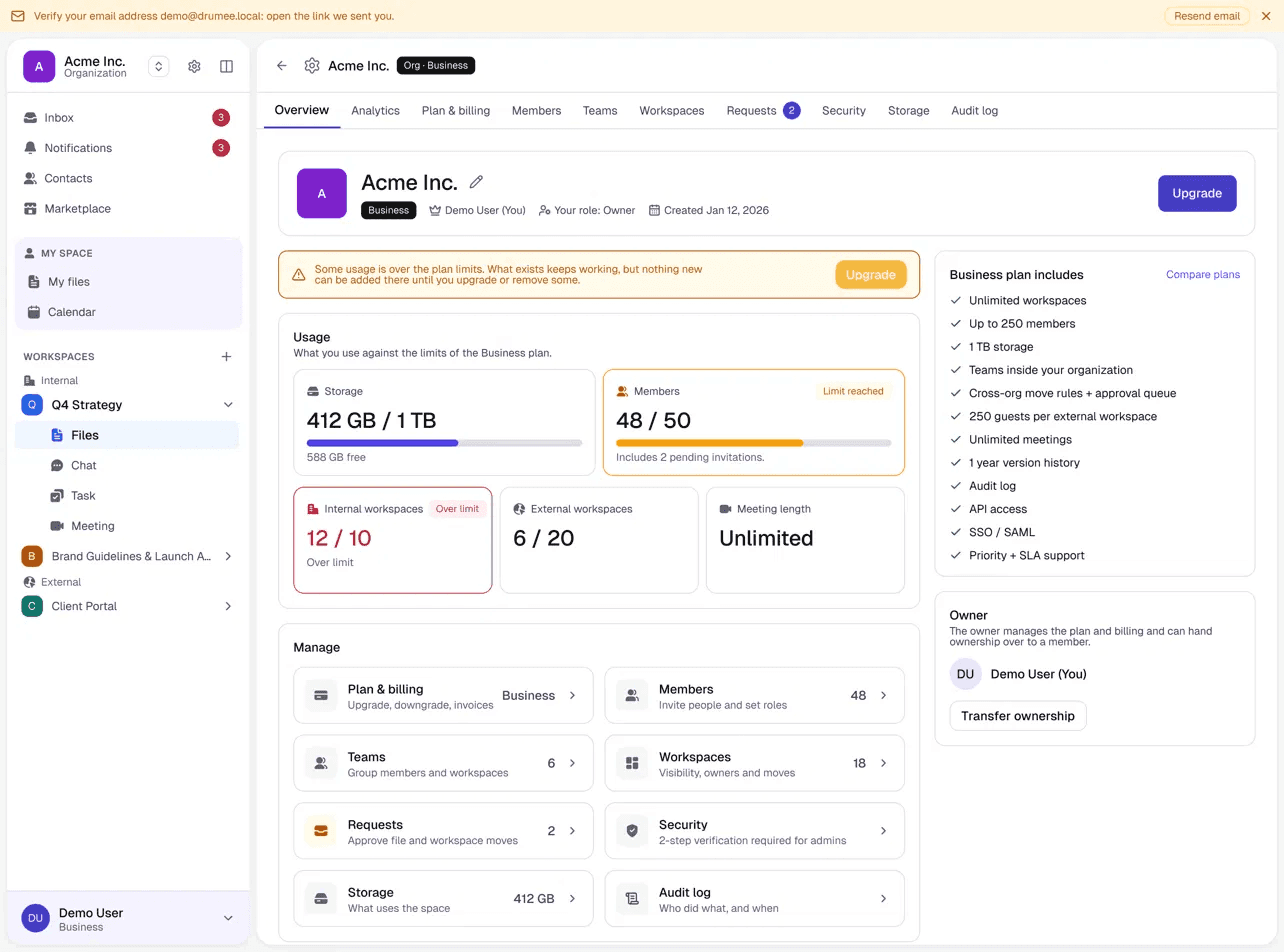
A team or organization is the home for a group's workspaces and members, and you can belong to several. Organizations add sub-teams, move policies, approvals and an audit log. The organization overview shows usage and brings members, teams, workspaces, requests, security, storage and the audit log together.
Organization administration has its own ladder, separate from workspace roles, and it governs administration, not content. According to the Drumee FAQ, an administrator who is not a member of a workspace cannot open its files or conversations. Read more in workspace admin roles and the audit log.
Smart uploads and file handling
The Files section's New menu creates a Folder, Document, Spreadsheet, Markdown or Text file, or migrates from Google Drive. You can also upload files and folders, drag and drop, or paste an image.
Large uploads pause when the network drops and resume when it is back, and a file that is already stored is not uploaded again. A single file can be up to about 78 GiB, and deleted items stay in the trash for 30 days (File Storage docs).
Four interface languages
The interface is available in English, French, German and Vietnamese, as listed in the Technology Overview.
Under the hood, for technical readers
The new platform is a modular monolith written in Go: one binary that runs as an API server, a background worker or a migration job. Four engineering posts in this series go deeper:
- Drumee's RBAC permission model: the role ladder, how a request is authorized, and the audit log.
- Drumee's file storage architecture: resumable uploads to S3-compatible storage, deduplication, versions and trash.
- Drumee's modular monolith architecture: one binary, stateless servers, an event bus and WebSocket with replay.
- Data protection and tenant isolation in Drumee: tenant IDs on every document, hashing, AES-256-GCM and what end-to-end encryption will add.
What is live and what is coming
Drumee's roadmap follows one principle: sovereignty first, usability second, extensibility third.
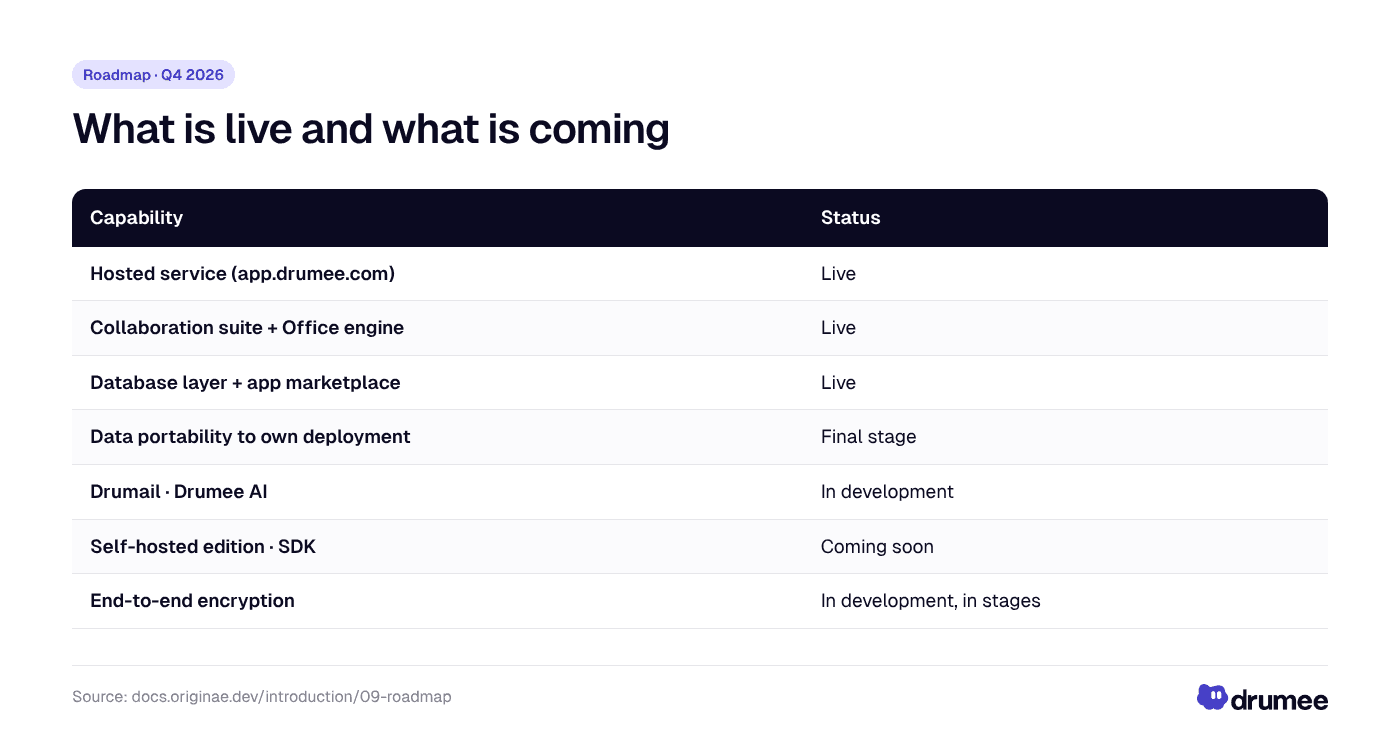
Most of the collaboration suite is live on the hosted service; the self-hosted edition, SDK and end-to-end encryption are still to come.
Live today on app.drumee.com:
- The file storage and collaboration suite: workspaces with files, folder-native chat, tasks, calendar and meetings.
- The Office engine.
- A Notion-like database layer for structuring information next to your files.
- An app marketplace with apps that extend a workspace.
Coming next:
- Data portability (hosted → your own deployment): in its final stage.
- Drumail, to manage your email in one place: in development.
- Drumee AI, an assistant for summarizing, planning and reminding: in development.
- Self-hosted edition: coming soon.
- SDK and public API reference: coming soon.
- End-to-end encryption: in development, released in stages.
Today, traffic is encrypted with TLS, passwords and sessions are stored only as hashes, stored secrets are encrypted with AES-256-GCM, and content at rest is encrypted at the storage layer. For background on what full end-to-end encryption means, see end-to-end encrypted workspaces explained.
What we will not build
The roadmap also lists what Drumee will not do, because it would compromise sovereignty:
- No AI training on user data.
- No third-party analytics embedded in the core product.
- No advertising or data monetization of any kind.
- No features that only work when connected to Drumee's cloud.
For EU teams weighing GDPR obligations, the first two matter in practice: fewer parties touching workspace data means fewer questions to answer. Drumee does not claim to make you compliant, but its sovereign workspace approach keeps the list of parties short, and its data can leave: files are stored as uploaded, in standard formats, which also limits vendor lock-in.
Your first project in ten steps
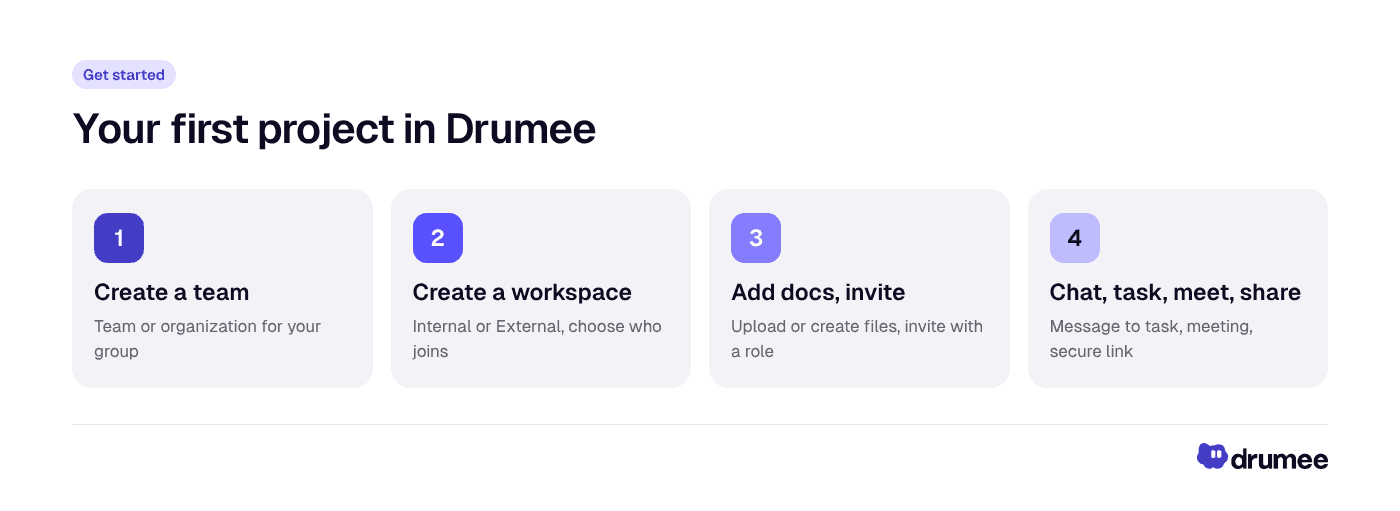
The Get Started guide takes a project from an empty space to a client-ready result in ten steps.
The new Get Started guide walks one scenario: you and a few colleagues prepare a project, then send the result to a client. Create a team, create a workspace, bring in documents, write together, invite colleagues, talk in chat, turn a message into a task, track the board, schedule a meeting and share with a client. Follow it once and you will have used most of what Drumee offers.
FAQ
What are the main new features in Drumee?
The workspace now holds files, folder-native chat with file threads, a task board with six views and meetings under one role per person. Drumee's own Office engine co-edits Word, Excel and PowerPoint files in the browser. External workspaces add Secure Share links, and organizations add teams, approvals and an audit log.
Can I self-host Drumee today?
Not yet. Drumee runs today as a hosted service at app.drumee.com, and the self-hosted edition is coming soon. Moving your data from the hosted service to your own deployment is in its final stage.
Is Drumee end-to-end encrypted?
Not yet. End-to-end encryption is in development and will be released in stages. Today traffic uses TLS, stored secrets are encrypted with AES-256-GCM, and content at rest is encrypted at the storage layer.
Which languages does the Drumee interface support?
Four: English, French, German and Vietnamese. The language applies to the interface; your files and messages stay in whatever language you write them.
Does Drumee have an API or SDK?
Drumee exposes a versioned REST API described by an OpenAPI contract, and the web app uses that same API. The SDK and the public API reference are coming soon; an app marketplace is already available on the hosted service.
Conclusion
The November 2026 update turns Drumee into one workspace for a project's files, conversations, tasks and meetings, with one role model, its own Office engine and safe ways to work with clients. It runs today at app.drumee.com, with the self-hosted edition on the way.
Try the new Drumee at app.drumee.com, or start with the next post in the series: Drumee's Office engine.
Try Drumee with your team: your first month is $1. Start your team for $1
Keep reading
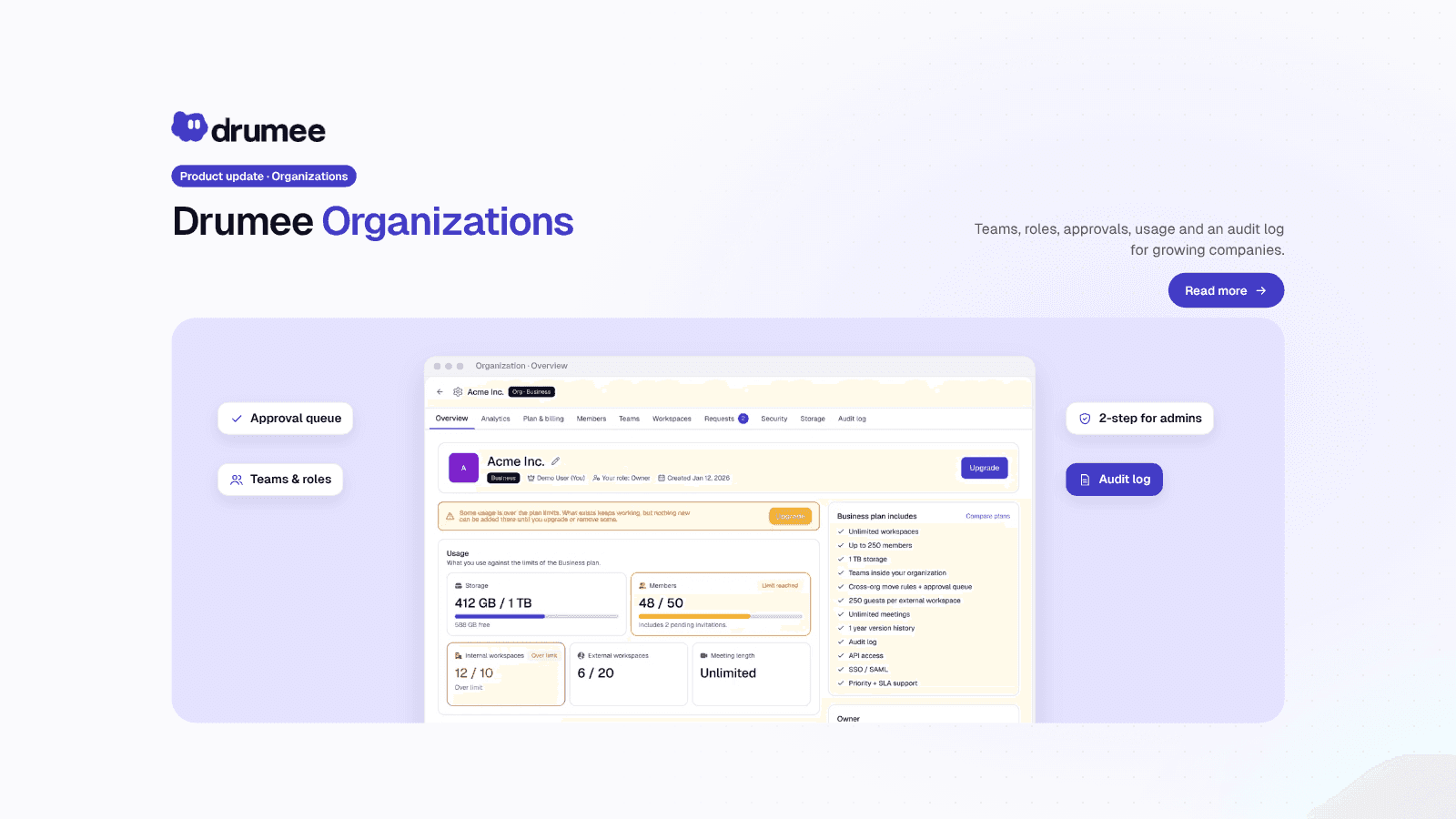
Drumee Organizations: Workspace Admin Roles and the Audit Log
A Drumee organization is a shared space for a company's members, teams and workspaces, administered on its own ladder of six levels, from Member to Owner. Admins manage people, teams, policies and the audit log, but administration is not access: a...
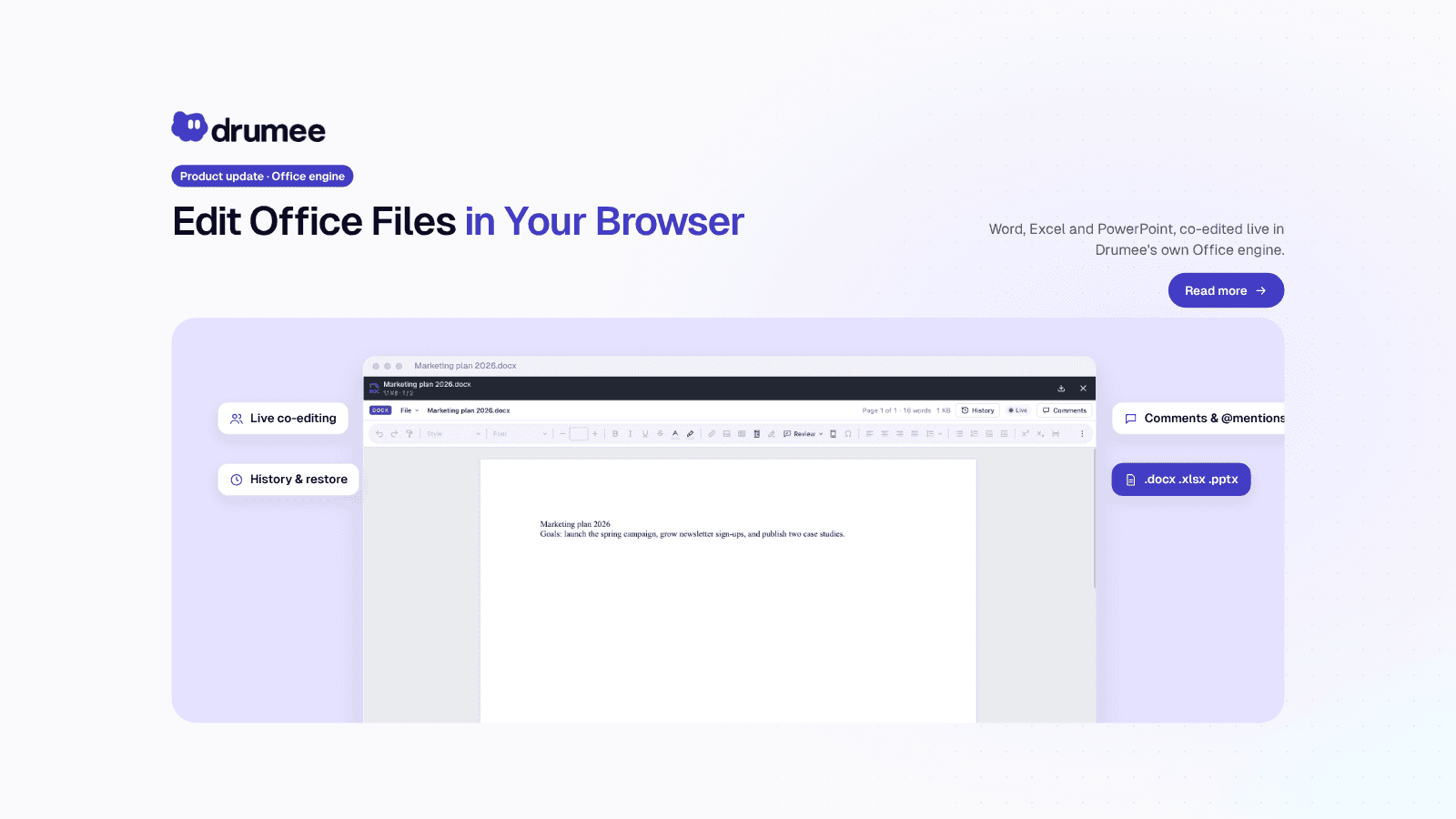
Drumee Office Engine: Edit Word Documents Online Together
Drumee's Office engine lets a team edit Word, Excel and PowerPoint files online collaboratively, directly in the browser, with no Office install. Several people type at once, every change saves automatically, and History shows who changed what. Th...
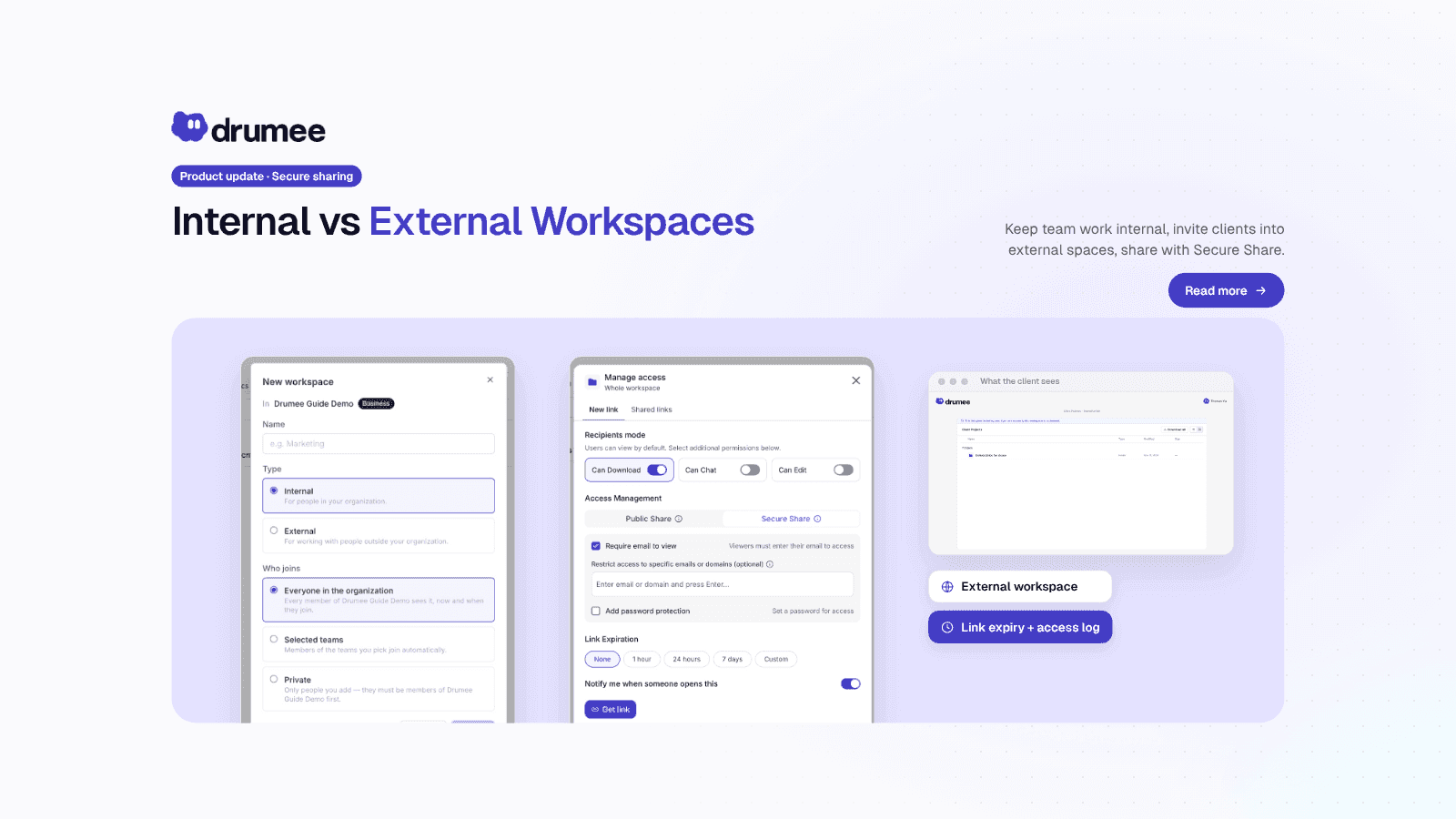
How to Share Files with Clients Securely: Drumee Workspaces
To share files with clients securely in Drumee, you work in an External workspace and send a Secure Share link: one file or folder, behind an email check and/or a password, with an expiry date and an access log. Internal workspaces stay for yo...