
Drumee Office Engine: Edit Word Documents Online Together
Drumee's Office engine lets a team edit Word, Excel and PowerPoint files online collaboratively, directly in the browser, with no Office install. Several people type at once, every change saves automatically, and History shows who changed what. Th...
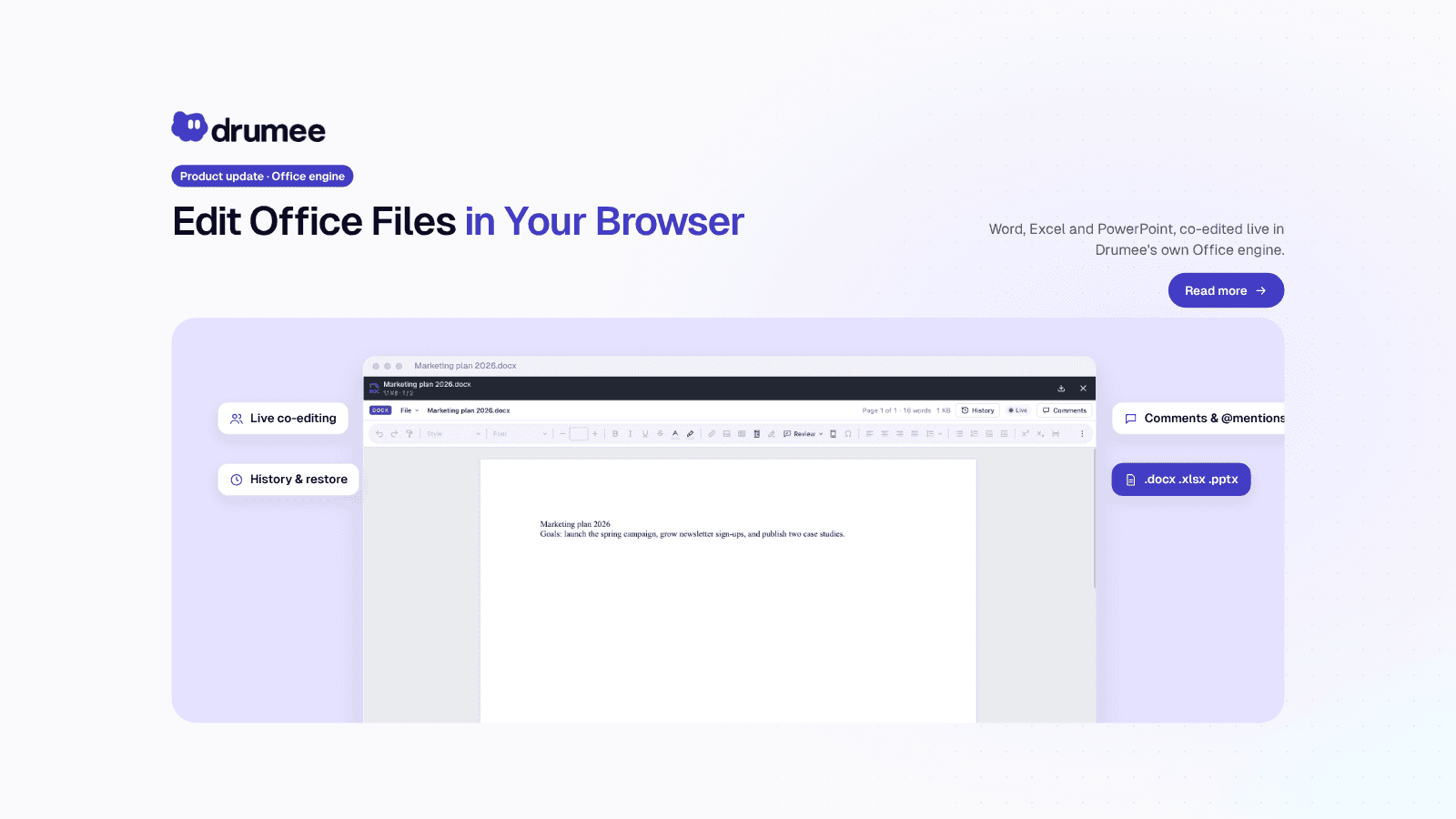
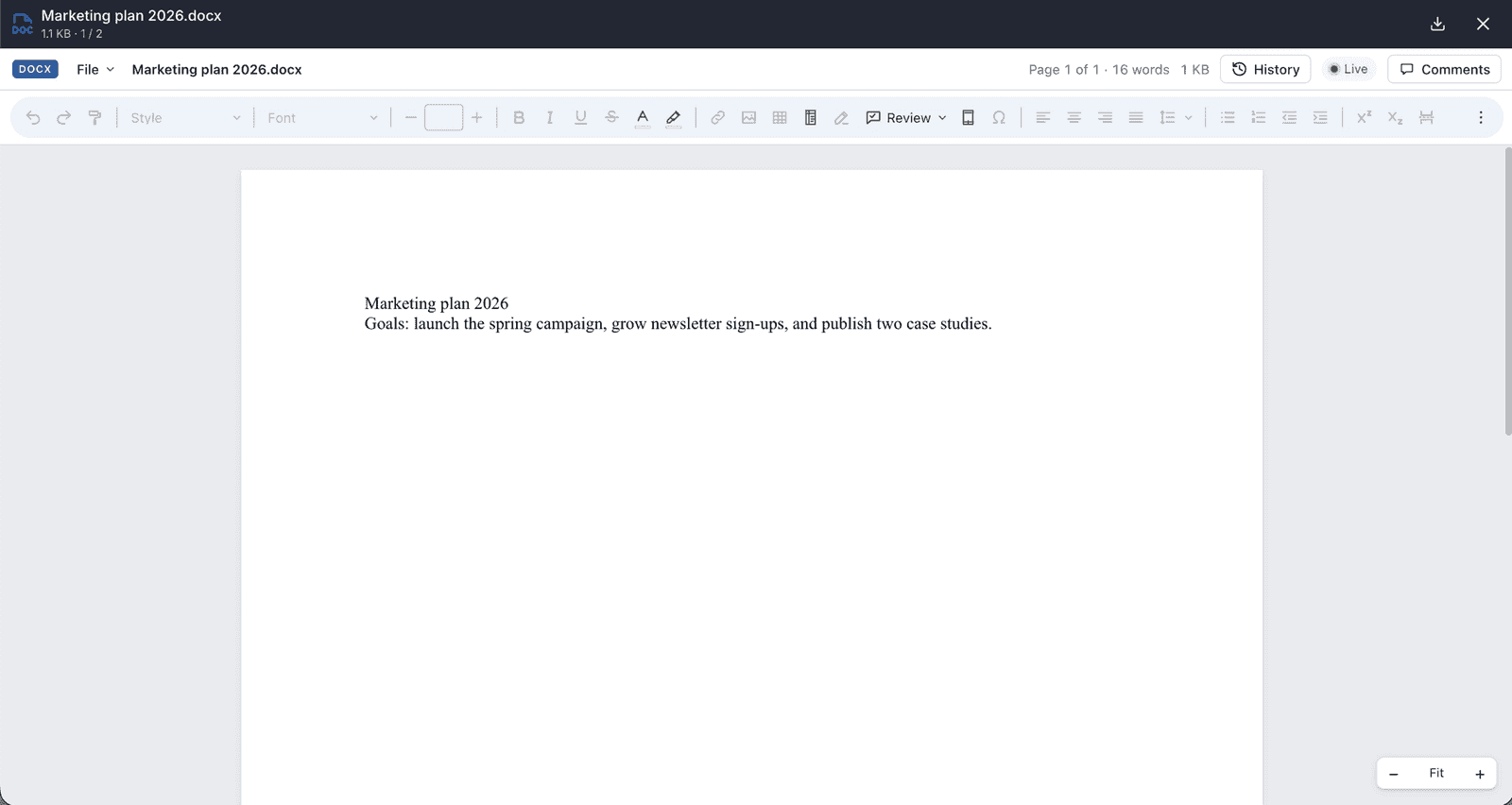
Drumee's Office engine opens a Word document in the browser with a green Live dot, History and Comments, so a team edits it together
Drumee's Office engine lets a team edit Word, Excel and PowerPoint files online collaboratively, directly in the browser, with no Office install. Several people type at once, every change saves automatically, and History shows who changed what. The engine is built by Drumee, not a third-party document server, so one permission model covers your documents.
What is Drumee's Office engine?
Drumee's Office engine is the document editor built into every Drumee workspace. It opens .docx, .xlsx, .xlsm and .pptx files in the browser for real-time co-editing, with autosave, comments and @mentions, and a History panel to restore earlier versions. Drumee develops the engine itself, so the workspace role that governs a file also governs who can edit it.
The engine is live today on the hosted service at app.drumee.com, and it is part of the November 2026 product update. Drumee's roadmap describes it in one line: an engine "developed by Drumee rather than embedded from a third-party document server."
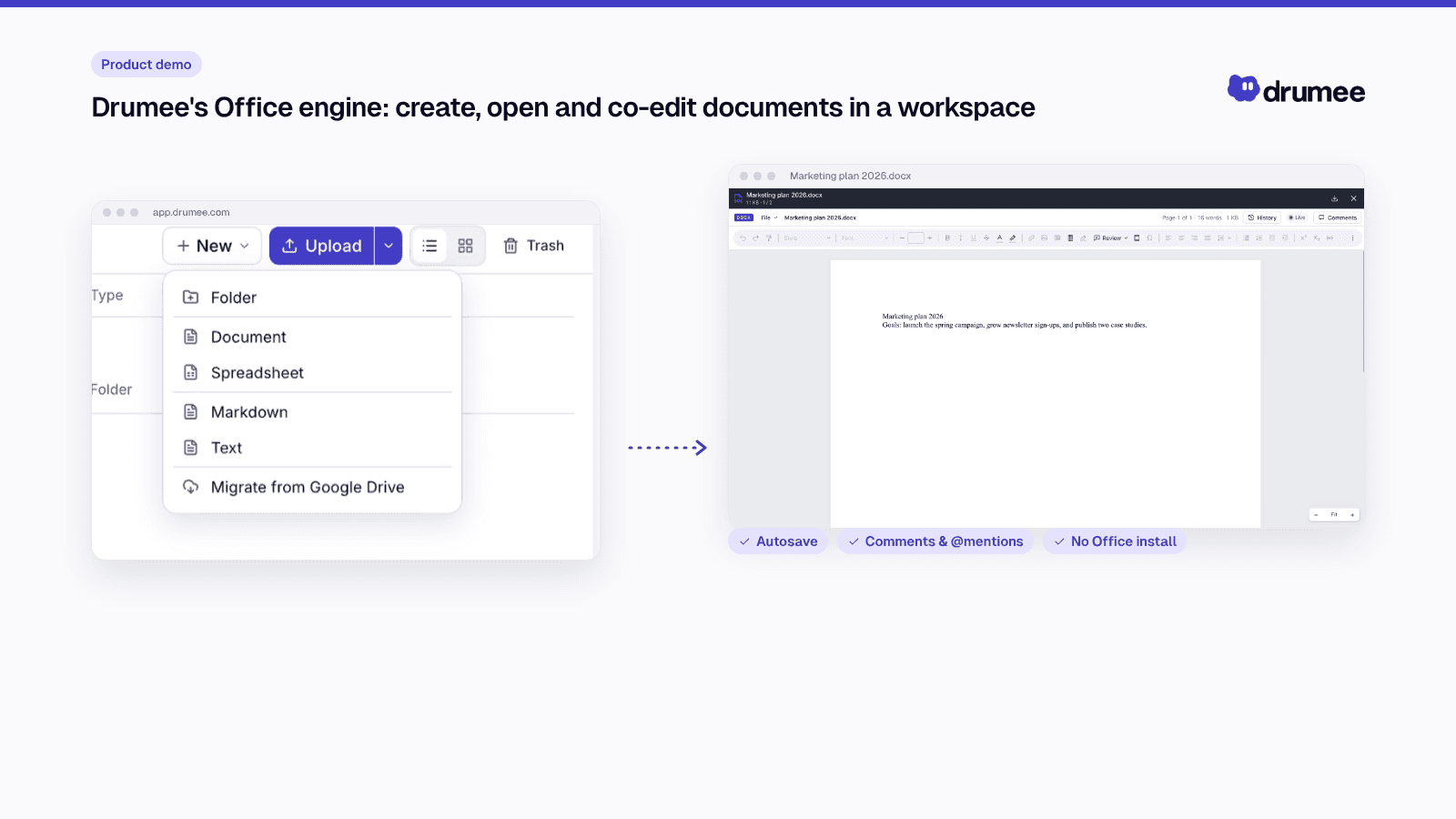
Co-editing Office documents inside a Drumee workspace.
Which files can you edit in the browser?
Four Office formats open in the editor and support several people editing at once:
- .docx: Word documents
- .xlsx: Excel spreadsheets
- .xlsm: Excel spreadsheets with macros
- .pptx: PowerPoint presentations
Other Office formats are stored and can be downloaded, but are not edited in the browser (Drumee FAQ). PDFs, images, video and text files can still be viewed in the browser.
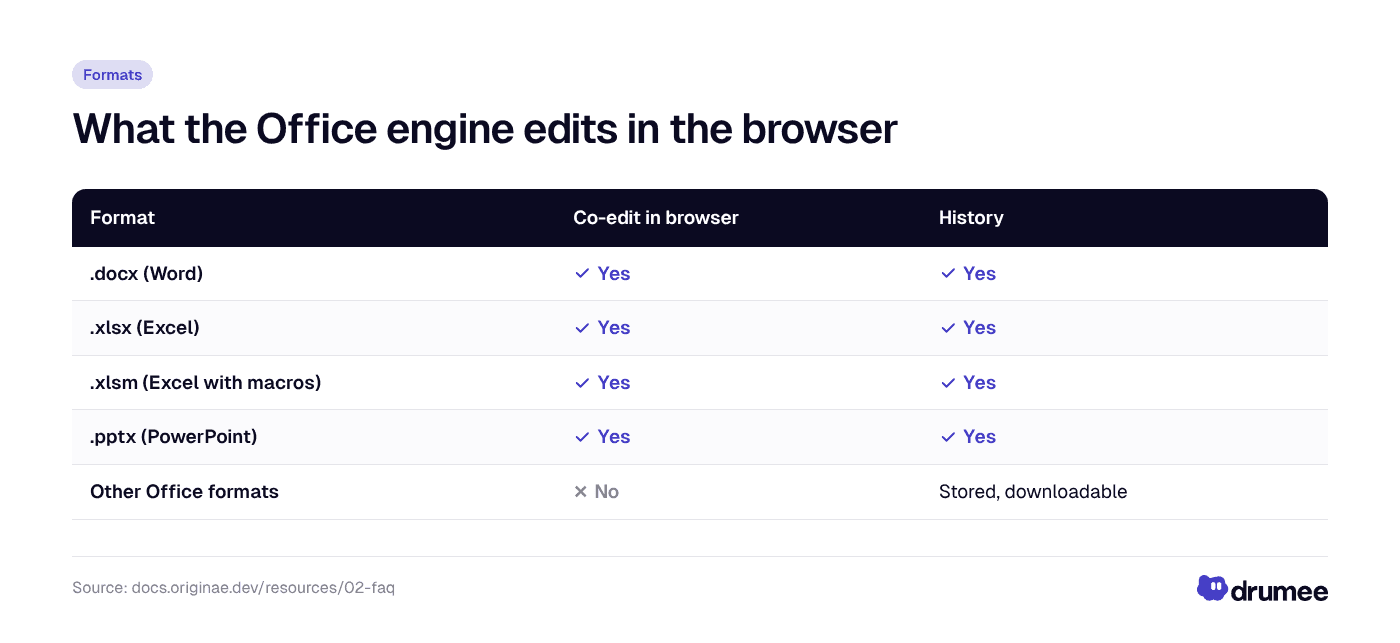
Four formats are edited live in the browser; every other Office file is still stored, versioned and downloadable.
Create or bring in your documents
Documents start in a workspace's Files section, next to the people who work on them. There are three ways in.
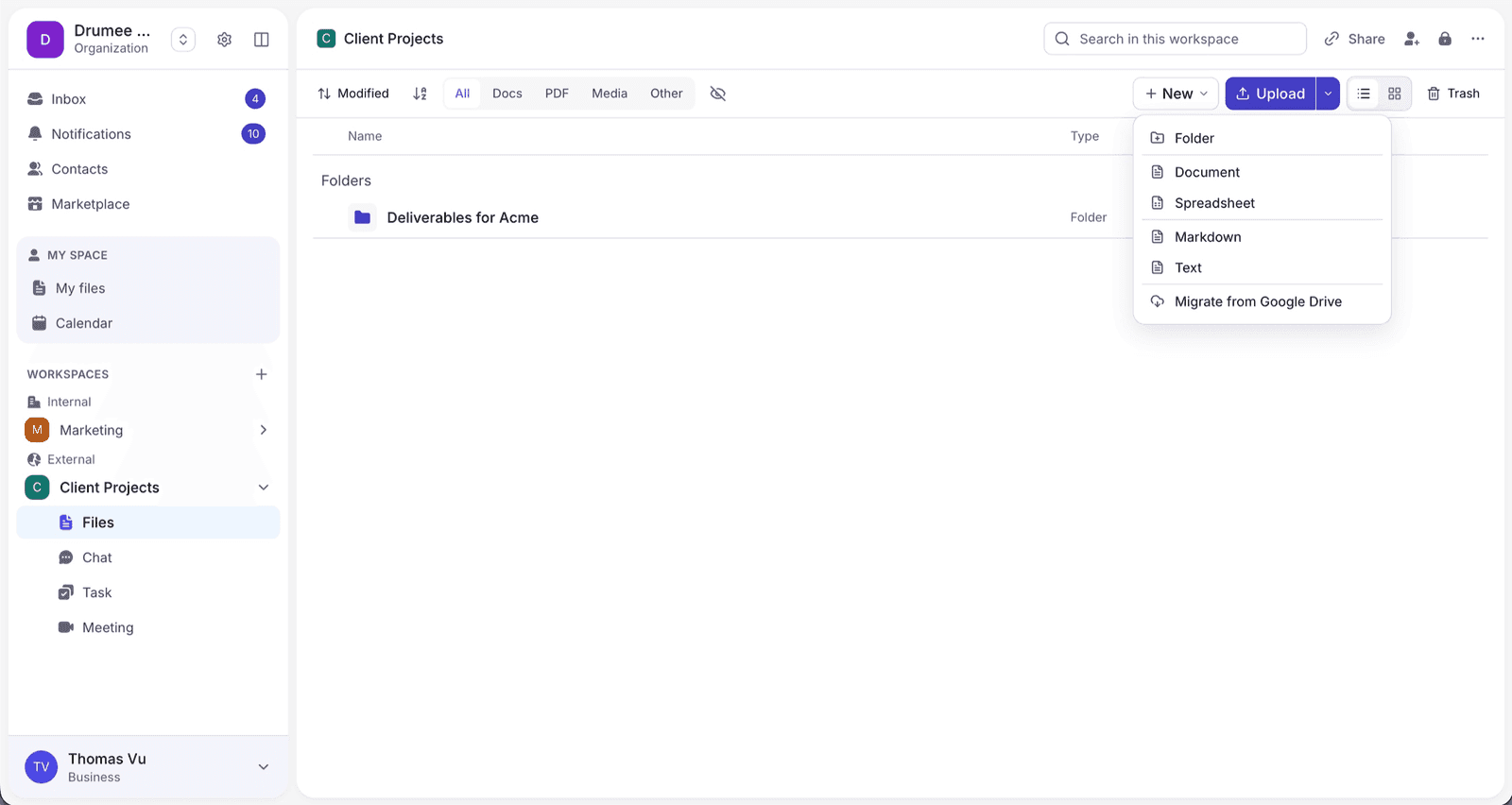
- New: create a Folder, Document, Spreadsheet, Markdown or Text file, or choose Migrate from Google Drive.
- Upload: choose Upload files or Upload folder from your computer.
- Drag and drop files into the window, or paste an image.
The Google Drive import is useful if your team is leaving Google Docs. According to the File Storage docs, it runs as a background job with progress updates, and Google Docs, Sheets and Slides are converted to docx, xlsx and pptx. A file whose name already exists in the destination folder is skipped, so an import never overwrites your work. If you are planning a bigger move, our guide on how to quit Google Workspace without losing your data covers the wider checklist.
Uploads are resilient too. Large uploads pause when the network drops and resume when it is back, and a file that is already stored is not uploaded again.
How to edit a Word document online with your team
Editing together takes no setup beyond being in the same workspace with the right role.
- Open the file. Double-click a Word, Excel or PowerPoint file in Files. It opens in the browser.
- Edit at the same time. Several people can type at once. The green Live dot shows that real-time co-editing is on.
- Let it save. Every change is saved automatically. There is no Save button to forget.
- Discuss in place. Comment and @mention colleagues right in the document.
- Check the past. Open History to see who changed what and restore an earlier version.
For conversations that go beyond one paragraph, every file also has its own thread in the workspace chat (The Stack), so feedback stays attached to the right document. The chat-to-task workflow post shows how a comment becomes a tracked task.
How co-editing works under the hood
Drumee's File Storage documentation explains the design. Rendering and merging happen in the browser. The server's job is narrower:
- put every editor's operations in one order,
- keep a durable log of those operations, and
- relay presence, so you can see who else is in the document.
Periodically, an editor saves a snapshot of the whole document, which becomes a new version of the file. The operation log between snapshots gives the document a fine-grained edit history.
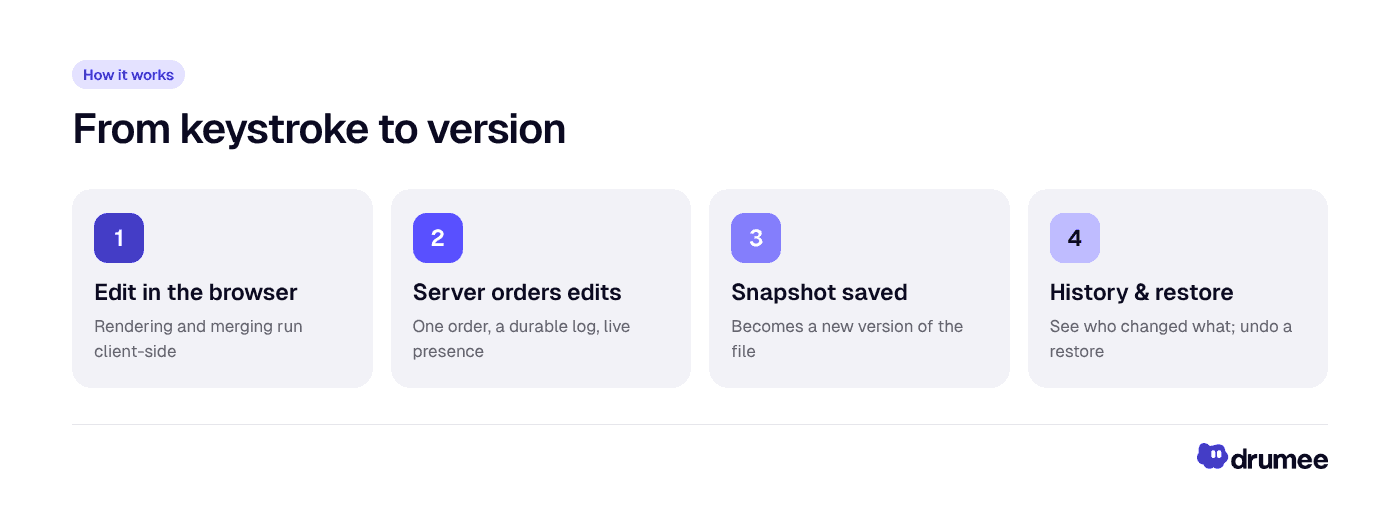
From keystroke to version: the browser edits, the server orders and logs, snapshots become versions.
Two safeguards protect against lost work. Editors detect conflicting saves: a save based on outdated content is rejected instead of overwriting someone else's changes. And the edit history is stored with the tenant's other content in object storage, under the tenant's own area.
History: see who changed what, and restore
Every write that replaces a file's content keeps the previous content as a version, including saving from the editor. The docs set out the rules:
- A file keeps up to 200 versions; beyond that, the oldest is dropped.
- Restoring a version makes the old content current again, and the content it replaces becomes a version in turn, so a restore can itself be undone.
- Versions count toward your storage quota; document edit logs do not.
- How far back history goes depends on your plan. See Drumee pricing for current plans.
Deleted documents are not gone at once either. They go to the trash for 30 days and can be restored from there.
Who can edit: one permission model
In Drumee, each person has one role per workspace, and it covers files, chat, tasks and meetings alike (Why Drumee). Editing documents follows the same ladder described in the RBAC System docs:
- Viewer can open documents in the browser but cannot download the originals. Drumee is clear that this limits casual copying and is not copy protection.
- Chatter can also download, chat and comment on tasks.
- Editor can also edit documents in the browser, upload and create files, lock a file and create share links.
- Admin and Owner add member management and workspace settings.
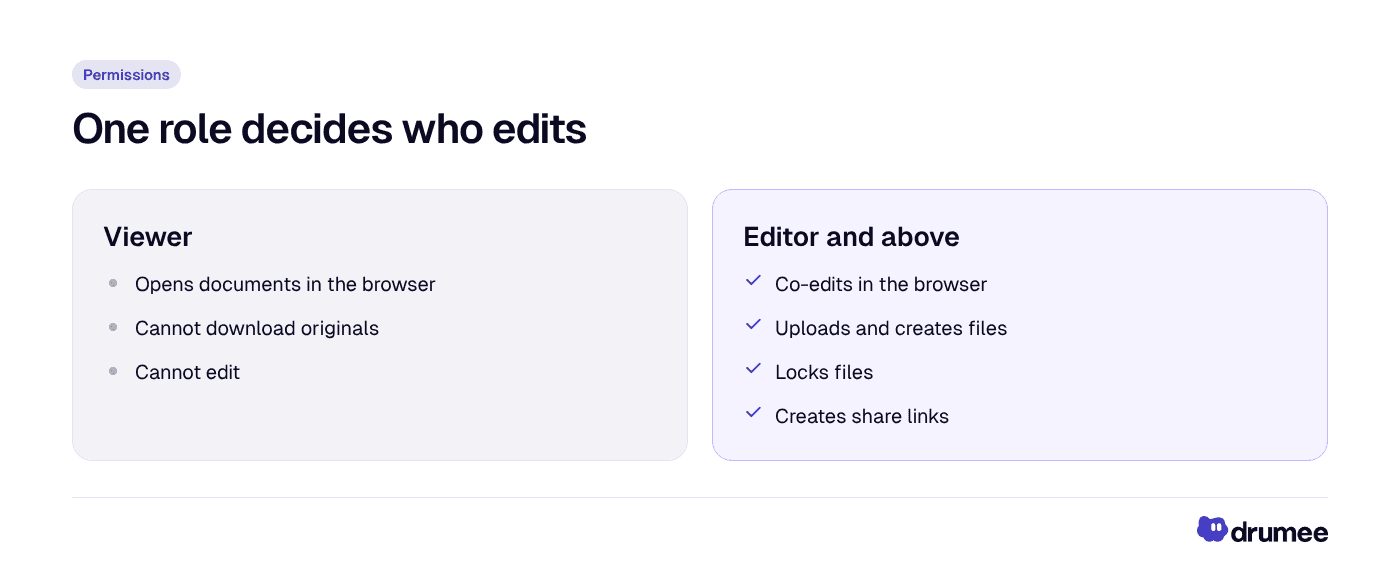
The same workspace role decides who reads, who downloads and who edits.
Locks help when a file must not change. An Editor can lock a file, and only the person who locked it, or an Admin, can unlock it. A locked file blocks any operation on it. Our deep dive into Drumee's RBAC permission model covers how the server checks the role on every request.
Why "built by Drumee" matters
Most teams never think about which component renders their documents. It matters for two reasons.
One permission model. Drumee's Technology Overview lists the Office engine as part of the core stack, "running in the browser, with realtime co-editing." Because the engine is part of the platform, there is no second system with its own users and access rules to keep in step. The role that lets someone open a folder is the role that lets them edit the spreadsheet inside it, and the server decides, not the interface.
Sovereignty. Drumee's roadmap principle is "sovereignty first, usability second, extensibility third." An engine developed in-house keeps document editing inside the same platform as your files, with edit history stored alongside the tenant's content. Drumee describes the coming self-hosted edition as the same platform packaged for your own infrastructure, which is the long-term point of a sovereign workspace. Today, Drumee runs as a hosted service; the self-hosted edition is coming soon.
It also fits the roadmap's list of what Drumee will not build: no AI training on user data, no third-party analytics in the core product, and no features that only work when connected to Drumee's cloud.
Working on documents with clients
Client work usually happens in an External workspace, where people from outside your organization can hold a role. Invite a client with an Editor role in that workspace, where your plan allows outside members, and they can co-edit documents with you.
Share links work differently. A link gives outsiders access to one file or folder with its own permissions, and the RBAC docs note that the "edit" permission on a link is reserved for editing through a link and today grants what download grants. For links, Secure Share and the access log, read how to share files with clients securely.
FAQ
Can several people edit the same Word document at the same time in Drumee?
Yes. When you open a .docx file in the browser, several people can type at once, and the green Live dot shows real-time co-editing is on. The same applies to .xlsx, .xlsm and .pptx files.
Do I need Microsoft Office installed to edit documents in Drumee?
No. Word, Excel and PowerPoint files open and are edited directly in the browser. You only need a browser and access to the workspace with an Editor role or higher.
Does Drumee save documents automatically?
Yes. Every change is saved automatically. Periodic snapshots become new versions of the file, and History lets you see who changed what and restore an earlier version.
Can I import Google Docs into Drumee?
Yes. Use New, then Migrate from Google Drive in a workspace's Files section. Google Docs, Sheets and Slides are converted to docx, xlsx and pptx, and files with a name that already exists in the destination folder are skipped rather than overwritten.
Is Drumee's Office engine based on a third-party document server?
No. The Office engine is Drumee's own, developed by Drumee rather than embedded from a third-party document server. That keeps document editing under the same permission model as the rest of the workspace.
Conclusion
Drumee's Office engine turns the workspace into the place where documents are written, not just stored: co-editing in the browser, autosave, comments and a History you can undo, all under one role model.
Open a document in the new Drumee at app.drumee.com, or read the next post in the series: Internal vs External workspaces and secure client sharing.
Try Drumee with your team: your first month is $1. Start your team for $1
Keep reading
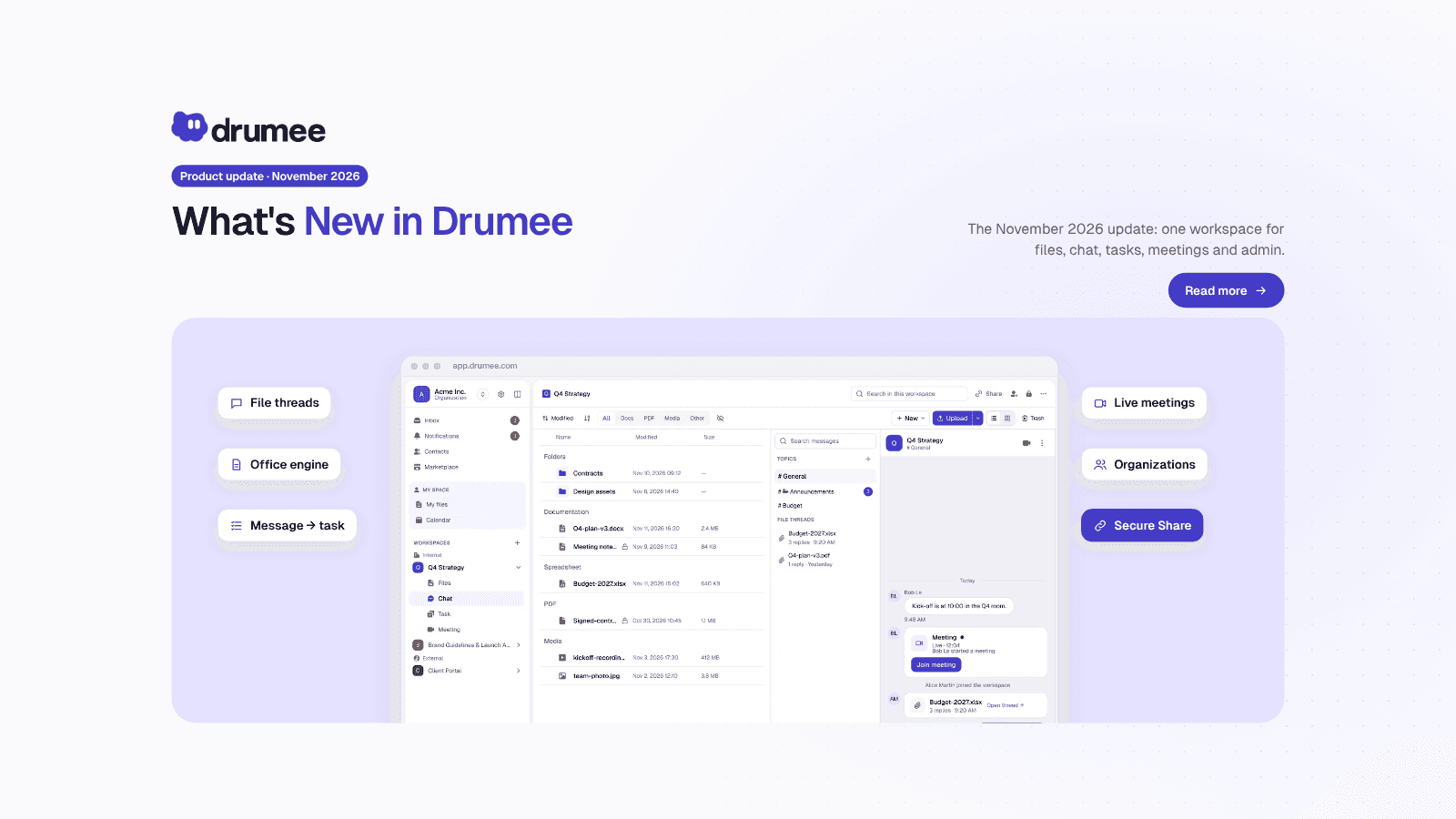
What's New in Drumee: November 2026 Product Update
The new version of Drumee is a rebuilt workspace platform, running today as a hosted service at app.drumee.com. Each workspace now holds a project's files, conversations, tasks and meetings under one role model, with Drumee's own Office engine, se...
Drumee Organizations: Workspace Admin Roles and the Audit Log
A Drumee organization is a shared space for a company's members, teams and workspaces, administered on its own ladder of six levels, from Member to Owner. Admins manage people, teams, policies and the audit log, but administration is not access: a...
How to Share Files with Clients Securely: Drumee Workspaces
To share files with clients securely in Drumee, you work in an External workspace and send a Secure Share link: one file or folder, behind an email check and/or a password, with an expiry date and an access log. Internal workspaces stay for yo...