
How to Quit Google Workspace Without Losing Your Data?
How to quit Google Workspace without losing your data: a structured migration guide covering what to export, in what order, and where to move to in 2026 after Google's mandatory 17-22% price increases bundled Gemini AI into all plans.
How to Quit Google Workspace Without Losing Your Data?
Quitting Google Workspace is not a technical problem. It is an organizational planning problem, and the teams that lose data in the process almost always do so not because export tools failed but because migration was treated as a single event rather than a structured transition. The how-to-quit Google Workspace question has become increasingly urgent in 2026 for a specific and quantifiable reason: Google raised Workspace prices by 16.7 to 22.2% in January 2025 by bundling Gemini AI into all paid plans, meaning that organizations that never intended to use AI features are now paying for them whether they want to or not. According to CheckThat.ai's 2026 Google pricing analysis, Business Standard jumped from $12 to $14 per user per month, and the price increases were mandatory with no option to keep current features at the old price. For a 50-person company on Business Plus, the mandatory Gemini bundling added $2,400 to the annual cost. For organizations in regulated industries also dealing with the CLOUD Act exposure and Gemini AI's access to Drive files described in prior analyses, the price increase is the financial expression of a governance dependency that has been accumulating for years.
Why Are Teams Reaching the Decision Point Now?
The decision to quit Google Workspace is rarely made because Google's products stopped working. Gmail, Drive, Docs, Meet, and Calendar are genuinely functional tools. The decision is made because the total cost of the dependency, financial, governance, and strategic, has crossed a threshold that the convenience no longer justifies.
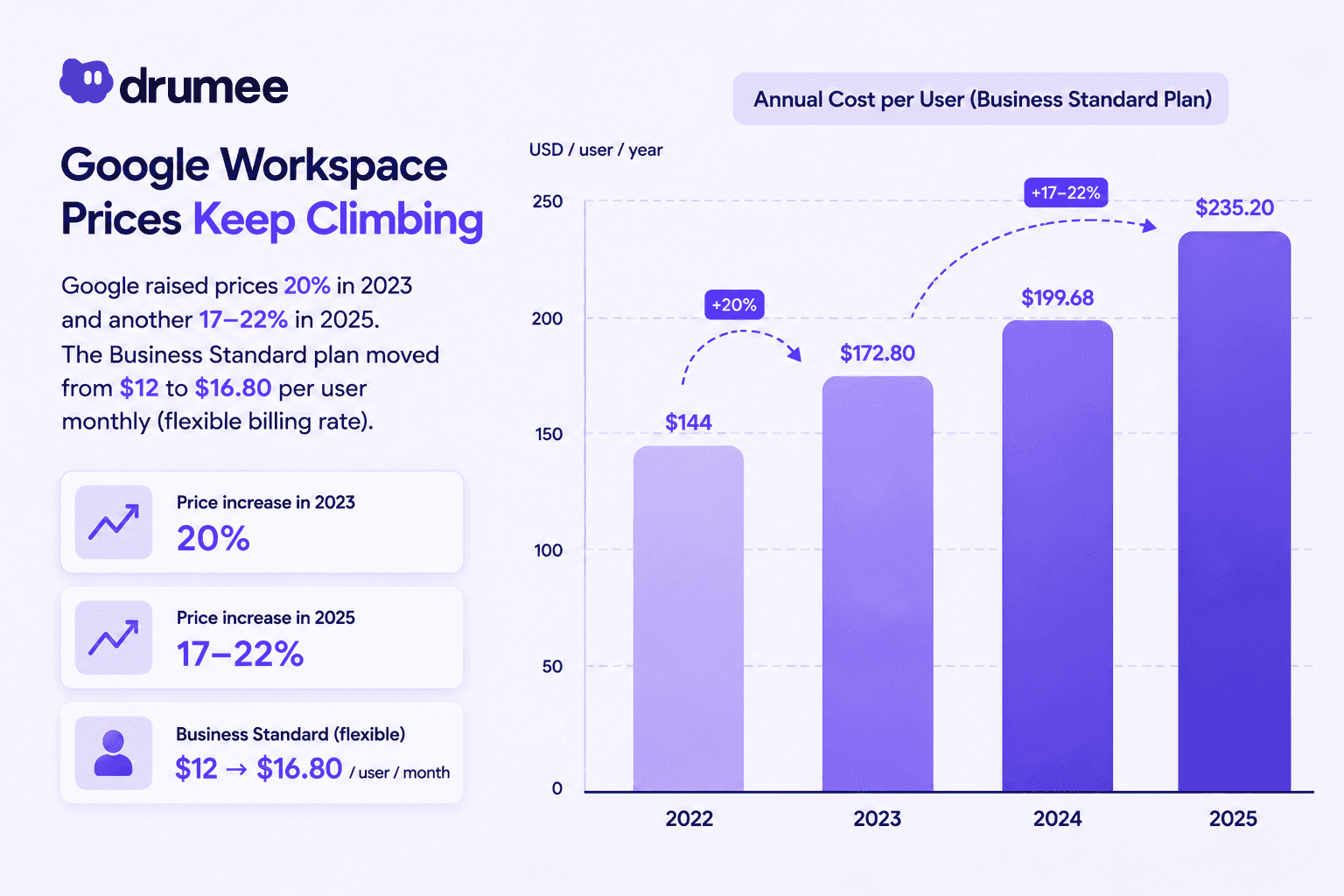
The pricing trajectory is the most visible trigger. According to Ofzenandcomputing's analysis of the March 2026 Workspace pricing changes, starting March 17, 2026, all Google Workspace Business and Enterprise plans automatically include Gemini AI features with a price increase of $2 to $4 per user per month, representing a 16 to 33% price increase depending on plan. The changes affect all Business and Enterprise plans, with no option to keep current features at the old price. According to Leadsmonky's 2026 Google Workspace alternatives guide, Google raised prices 20% in 2023 and another 17 to 22% in 2025, with the Business Standard plan moving from $12 to $16.80 per user monthly on the flexible billing rate. The compound effect of these increases means a team that was paying $144 per user annually in 2022 is now paying materially more for a product bundle that includes AI features many teams did not request and do not use.
The governance trigger is equally significant for teams that have reached regulatory scrutiny. Google's own 2026 pricing documentation shows that Gemini AI is now embedded across Gmail, Docs, Sheets, Slides, and Meet for all paid plans. That embedding means Gemini has access to the content in those products as part of standard feature delivery, not as an optional add-on the organization can decline while keeping the rest of the suite. For teams storing client communications, confidential documents, or regulated data in Google Workspace, the AI layer that now processes that content is not separately governable from the productivity suite that holds it. Teams that have never enabled Gemini explicitly are discovering through admin console alerts that AI features are already active across their organization's files and communications.
Understanding What You Are Actually Moving
Before executing a Google Workspace migration, the most important step is a complete inventory of what you have and where it lives, because Google Workspace is not a single product with a single export format. It is an integrated suite of eight or more distinct data stores, each with its own export mechanism, format limitations, and organizational complexity.
Google's own data export documentation identifies the primary data categories requiring migration decisions: Gmail and email archives, Google Drive files and folder structures, Google Calendar events and shared resources, Google Contacts, Google Chat message history, Google Meet recordings, Google Groups, Google Keep notes, and Google Voice data if enabled. Each of these stores has different export tooling, different format preservation characteristics, and different migration complexity depending on the destination platform.
The export format limitations are the most important operational consideration for organizations planning migration. Google Drive files stored in native Google formats, Docs, Sheets, and Slides, can be exported to standard formats including .docx, .xlsx, .pptx, and .pdf. But the export process converts rather than preserves, meaning that complex formatting, embedded formulas with Google-specific functions, and linked data structures may not transfer cleanly. Google's data migration service FAQ notes that the data migration service works best when migrating groups of 100 users or fewer and may see performance drops at larger volumes. Google also deprecated its classic data migration service after December 4, 2025, requiring organizations that had been relying on it to transition to the new migration tooling on Google's updated timeline.
Chat history is particularly vulnerable in any migration. Google Chat messages exported via Google Vault or the Data Export tool come out as JSON files, which do not convert directly into any standard communication platform format. Organizations that need to preserve Chat history for compliance or operational continuity require either a dedicated migration tool that handles format conversion or acceptance that the historical record will exist as an archive rather than a searchable, native-format repository in the destination system.
The Migration Sequence That Protects Your Data
The migration sequence that consistently produces the cleanest outcome for teams quitting Google Workspace follows a phase structure that separates the export from the switch, rather than treating them as simultaneous events.
Leadsmonky's 2026 migration guidance describes the operational discipline that experienced migration practitioners apply: in the first week, use Google Takeout to export all personal data and download emails, files, calendars, and contacts, keeping local backups. In weeks two and three, run both systems in parallel, using the new platform for all new work while referencing Google for historical files. In week four, set email forwarding from Google, move remaining files, and only then cancel the Google subscription. The parallel run period is the operational safeguard that most teams skip when they encounter migration friction, and it is precisely the step that prevents data loss by ensuring the destination environment is fully functional before the source environment is decommissioned.
The admin-level export process for organizations, as distinct from the individual user Takeout, requires coordination between the admin console and the destination platform before any accounts are deleted or suspended. Google's own guidance on former employee data preservation is instructive here even for full organizational migrations: when a user's account is deleted without transferring their Drive files to another owner, the content is deleted along with the account. The same risk applies during organizational migrations if admin accounts are deleted before all file transfers are verified complete. The sequence must be: export and verify, then migrate, then decommission, never the reverse.
What to Migrate Toward, Not Just Away From
The strategic mistake that many teams make when planning how to quit Google Workspace is treating destination selection as secondary to the migration itself. The choice of destination determines the governance posture the organization will occupy after migration, and choosing a destination that replicates the structural dependency of Google Workspace in a different vendor's infrastructure does not solve the governance problem that motivated the migration.
Leadsmonky's analysis of the 2026 Google Workspace alternatives landscape documents the primary categories: Microsoft 365 offers comparable feature breadth with a different vendor dependency structure. Zoho Workplace is cheaper and positions itself as privacy-focused, but remains a vendor-hosted platform with the same structural infrastructure authority gap. Self-hosted open source alternatives provide genuine governance independence but require organizational technical capacity to administer.
The governance outcome question is the one that distinguishes a migration from a solution. Moving from Google Workspace to Microsoft 365 changes the vendor but preserves the fundamental condition: the organization's files, communications, permissions, and operational context live on infrastructure a third party administers under terms the third party sets. The US CLOUD Act applies to Microsoft's infrastructure as it does to Google's. The AI processing layer in Microsoft Copilot operates under Microsoft's governance as Gemini operates under Google's. The price escalation trajectory follows the same vendor leverage model.
For organizations that have reached the decision to quit Google Workspace because of governance concerns rather than primarily cost concerns, the destination that resolves the problem structurally is self-hosted infrastructure where the organization administers the environment directly. Nextcloud is the most mature self-hosted Google Workspace replacement for the file storage and collaboration layer, with over 400,000 deployments globally and GDPR compliance architecture that eliminates the need for a data processor agreement. For organizations that want to unify the full operational environment, not just the file storage layer, under a single self-hosted governance boundary, Drumee provides a sovereign data OS where files, communications, permissions, and task context exist inside infrastructure the organization controls entirely.
What to Do When Google Makes Exit Expensive
One of the structural features of Google Workspace dependency that teams discover only when they try to leave is the egress cost dimension. CheckThat.ai's pricing analysis notes that moving data out of Google Cloud Platform costs $0.12 per GB for most destinations, and that storage overages on Business plans block new file creation rather than automatically expanding. For organizations with years of Drive content, this egress cost is not trivial. A team with 10 TB of Drive data faces approximately $1,200 in egress fees simply to transfer their own files to a different storage environment. This cost is not disclosed prominently in Google's pricing pages, and it creates a financial penalty for exercising the data portability rights that most teams assume they hold without restriction.
The EU Data Act, which became applicable on September 12, 2025, specifically targets this kind of exit friction by mandating that cloud providers eliminate switching fees and support data portability in interoperable formats by September 2027. For EU-based organizations, this legislation strengthens the legal basis for demanding smooth, cost-free data export from Google before the 2027 deadline. For US-based organizations, no equivalent federal standard exists yet, though the increasing number of state-level privacy laws creates a growing expectation that organizations can access their own data without punitive exit costs.
The practical mitigation for organizations planning migration before the 2027 portability deadline is to stage the export over a period that spreads egress costs, to negotiate directly with Google's enterprise team on migration assistance costs where contract size justifies it, and to use the Data Export tool for bulk organizational exports rather than the Data Migration Service for large volumes, as the bulk export path is more cost-predictable for complete organizational transitions.
Quitting Google Workspace is not a decision that should be made in reaction to a single price increase or a single governance concern. It is an infrastructure decision that determines which organization administers the environment where your team's operational knowledge accumulates. Getting the destination right matters as much as executing the migration cleanly. The teams that emerge from the transition in the strongest governance position are the ones that move toward infrastructure they own, not just away from infrastructure they were renting.
FAQ
1/ How do I export all my data from Google Workspace before quitting?
Google provides several export options: Google Takeout for individual users, the Data Export tool for admins exporting the entire organization's data, and Google Vault for compliance-grade archiving of emails and Chat. The classic data migration service was deprecated after December 4, 2025. Exports should include Gmail, Drive, Calendar, Contacts, Chat, Meet recordings, and Groups. Run exports and verify completeness before canceling any accounts.
2/ Will I lose my Google Drive files if I cancel Google Workspace?
Only if you delete user accounts without transferring their Drive files first. Google's admin documentation specifies that when a user's account is deleted, their Drive content is deleted with it unless transferred to another account before deletion. During migration, delete no accounts until all file transfers are verified complete in the destination system.
3/ What is the best alternative to Google Workspace in 2026?
The answer depends on your governance priority. For cloud-based alternatives, Microsoft 365 and Zoho Workplace offer comparable feature sets. For genuine data sovereignty, self-hosted alternatives including Nextcloud for file and collaboration infrastructure, and Drumee as a unified sovereign data OS, provide the infrastructure control that vendor-hosted alternatives cannot. Self-hosted options eliminate CLOUD Act exposure and vendor-controlled AI processing.
4/ How much does it cost to move data out of Google Workspace?
Moving data out of Google Cloud Platform costs $0.12 per GB for most destinations, according to Google's pricing documentation. For an organization with 10 TB of Drive data, this represents approximately $1,200 in egress fees. The EU Data Act mandates elimination of switching fees by September 2027 for EU-based organizations, but this provision does not yet apply in the US.
5/ Why are teams quitting Google Workspace in 2026?
The primary triggers are the 16.7 to 22.2% price increases in 2025 that bundled Gemini AI into all plans with no opt-out, compliance concerns about Gemini AI's access to Drive files and communications under vendor-controlled governance terms, and the CLOUD Act exposure that applies to Google's infrastructure regardless of data residency configuration. Organizations in regulated industries have also faced increasing pressure to demonstrate infrastructure control that Google's shared-responsibility model does not provide.
Related article: Digital Data Ownership Rights: What They Are and Why Most Teams Don't Have Them.
------------------------------
About Drumee
Drumee is the world’s first unified sovereign data infrastructure: a self-hosted, OS-like workspace that turns your own filesystem into a private collaborative environment.
Fully under your control, Drumee combines files, chat, tasks, and workflows with enterprise-grade permissions built directly into the infrastructure layer. No cloud vendors. No fragmented SaaS stack. No operational dependency.
Instead of renting your workspace from external providers, Drumee allows organizations to own the environment where operational knowledge lives.
Your Data. Your Workflow. One system. Built to be yours!
Follow us at: Website | X | LinkedIn | Drumee Founder X | Drumee Founder LinkedIn
Keep reading
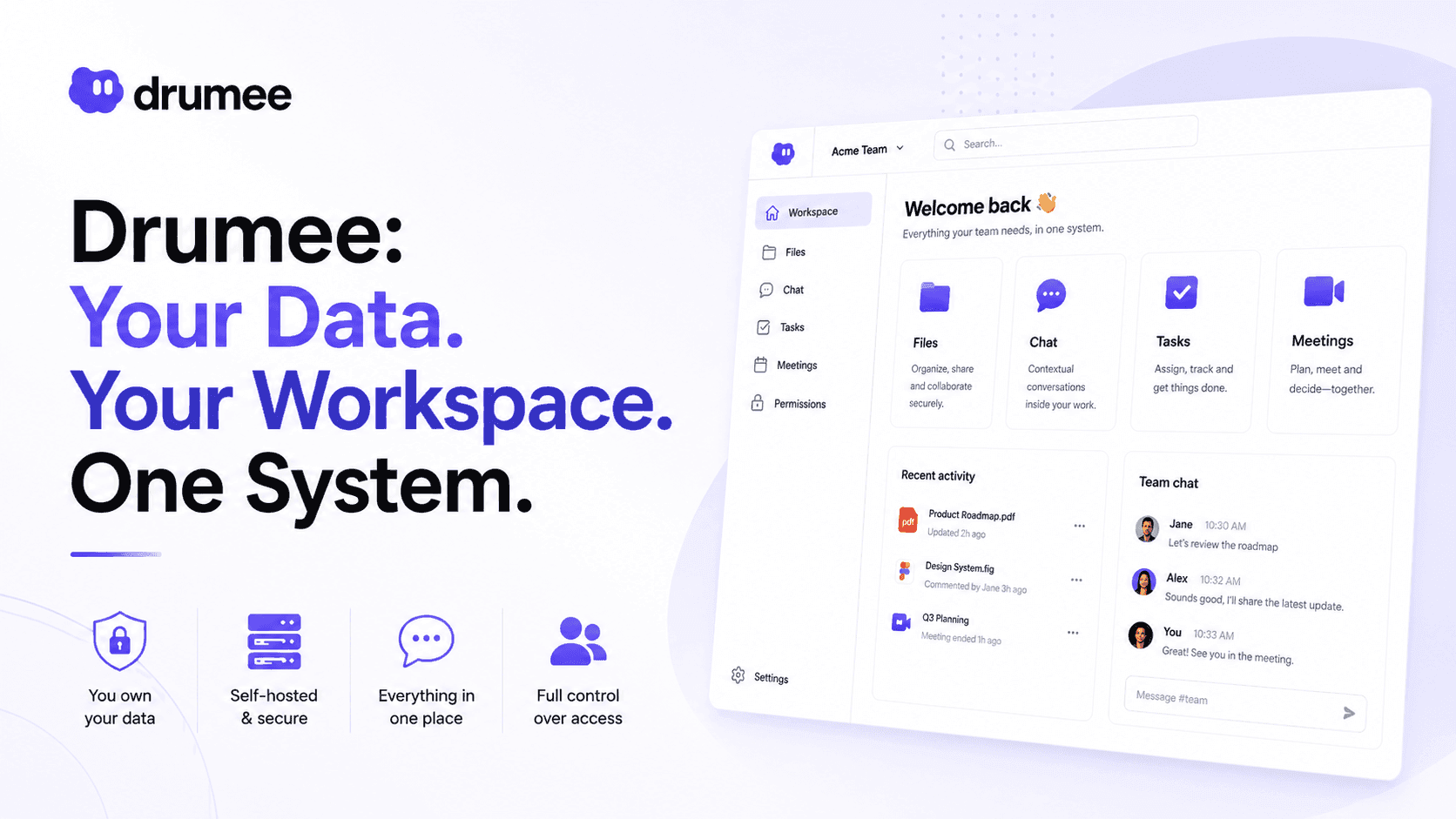
Drumee: Your Data. Your Workspace. One System
Drumee is a self-hosted, sovereign data workspace where files, chat, tasks, and permissions live in one place on infrastructure you own. Learn what Drumee is, what it stands for, and how to get started.
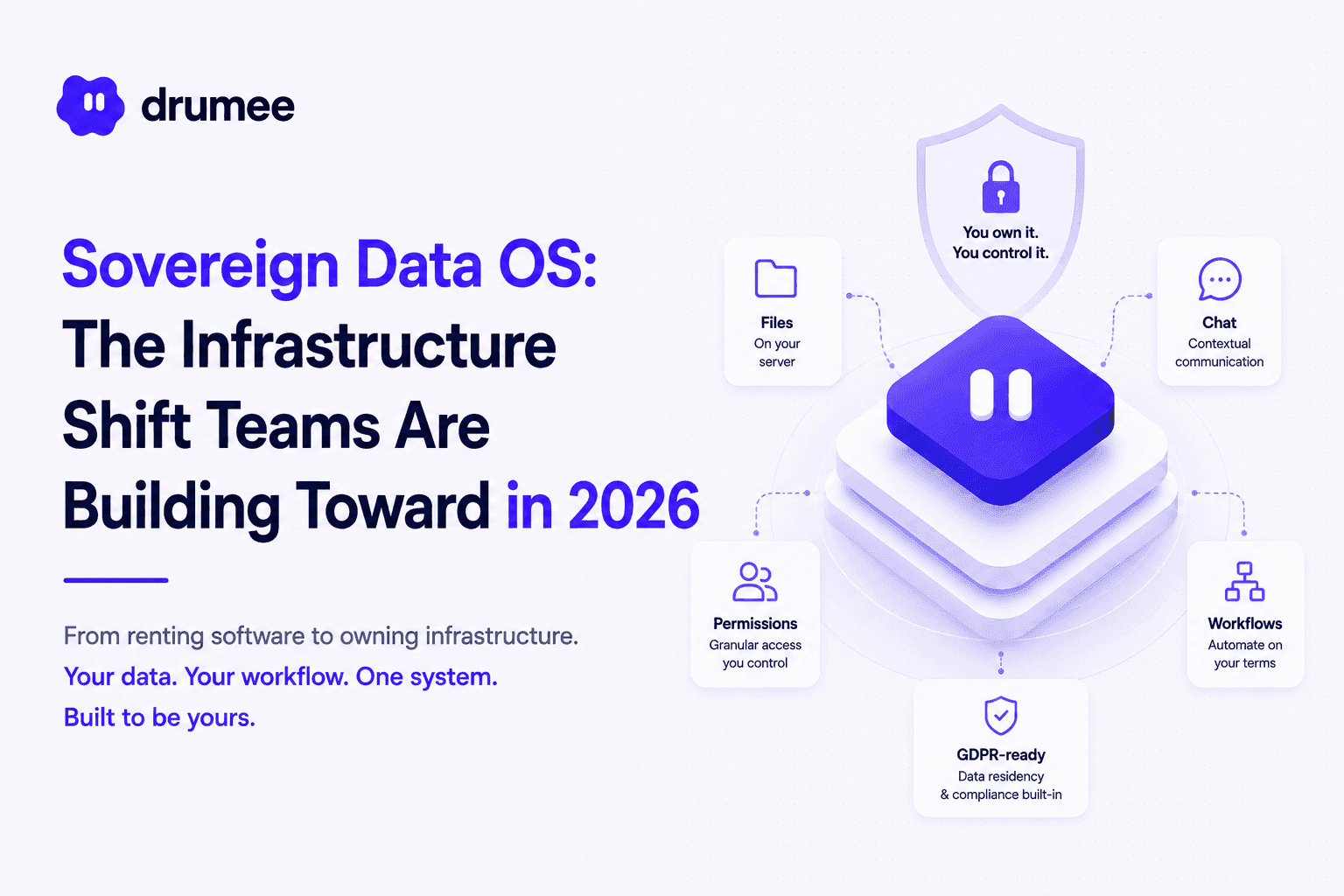
What Is a Sovereign Data OS? The Infrastructure Shift Teams Are Building Toward in 2026
What is a sovereign data OS? Learn how Drumee's unified self-hosted infrastructure replaces fragmented SaaS stacks with a single governable environment for files, chat, permissions, and workflows in 2026.
Data Ownership: What It Means and How to Achieve It in 2026
What is data ownership and how do you actually achieve it? Learn the three layers of data control, why AI changes the stakes, and how self-hosted infrastructure gives teams genuine ownership in 2026.