
Self-Hosted Slack Alternative: 5 Options for GDPR and Data Control in 2026
Slack is easy to start and hard to control. Its free plan hides older history, its data sits on a US provider's servers, and the conversations that matter most, about customers, contracts and people, end up somewhere your team does not run. For an...
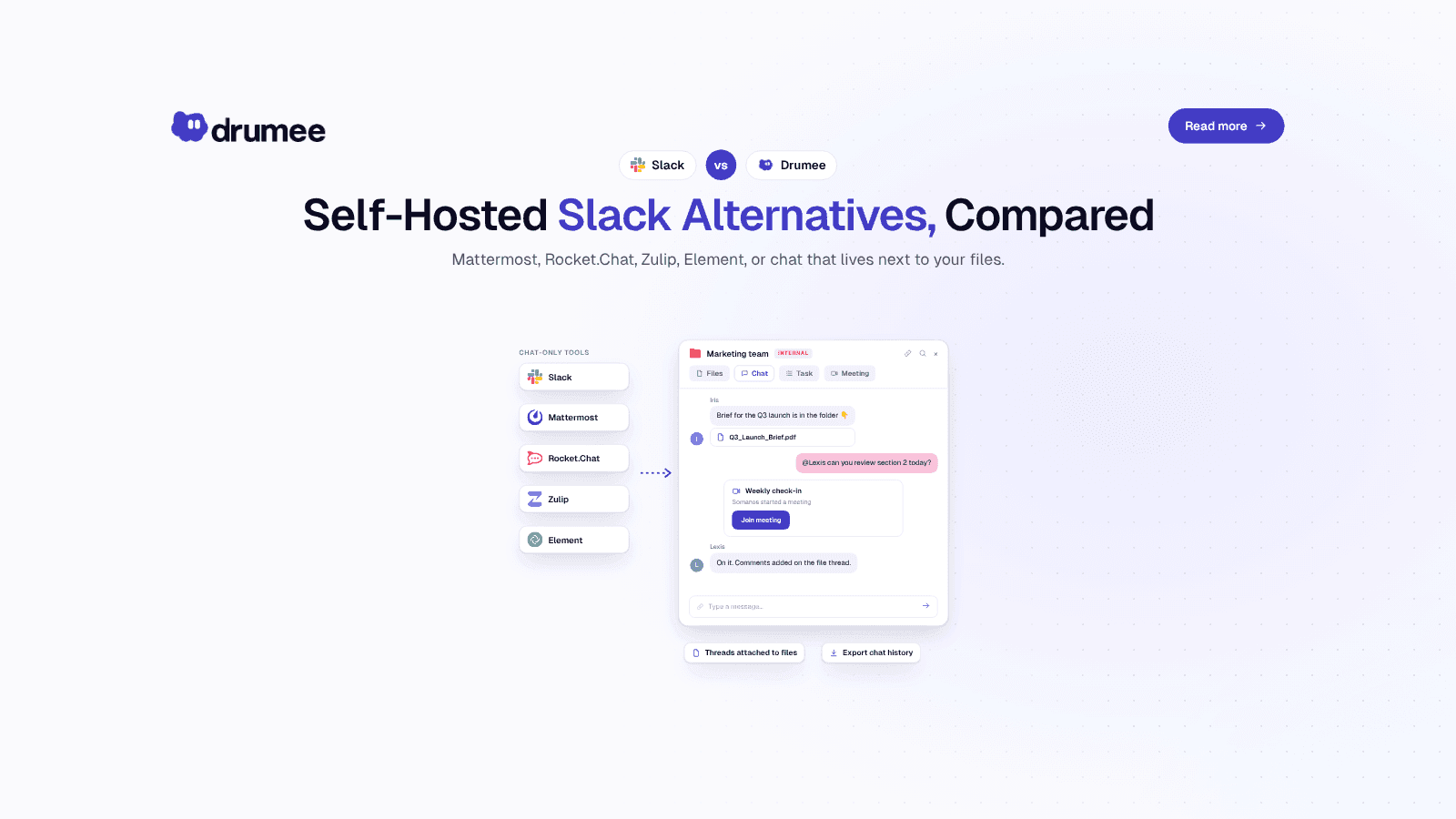
Self-hosted Slack alternatives compared: dedicated chat tools go deeper on messaging, Drumee keeps chat attached to files, tasks and meetings in one sovereign…
Slack is easy to start and hard to control. Its free plan hides older history, its data sits on a US provider's servers, and the conversations that matter most, about customers, contracts and people, end up somewhere your team does not run. For an EU startup that is growing, that adds up to a GDPR question that never quite goes away.
A self-hosted Slack alternative answers it by moving team chat onto infrastructure you control. The open source options are mature: Mattermost, Rocket.Chat, Zulip and Element (built on Matrix) all run on your own servers. Drumee takes a different route, putting chat inside a sovereign workspace together with files, tasks and meetings.
This comparison is for founders, CTOs and ops leads at teams of 5–25 people. We cover what Slack's free plan really keeps, each option's licence and real limits, how chat fits with the files it discusses, an evaluation checklist for self-hosted chat, and a fair verdict. Dedicated chat tools are deeper on chat. Drumee is the better fit when chat is only one part of what you need to bring under your control.
What is the best self-hosted Slack alternative for GDPR?
For GDPR, the best self-hosted Slack alternative is one you run on infrastructure you control, so chat data never goes to a third-party processor. Mattermost, Rocket.Chat, Zulip and Element all qualify for chat alone. Drumee's self-hosted Sovereign Node extends that control to files, tasks and meetings in one system with one audit trail.
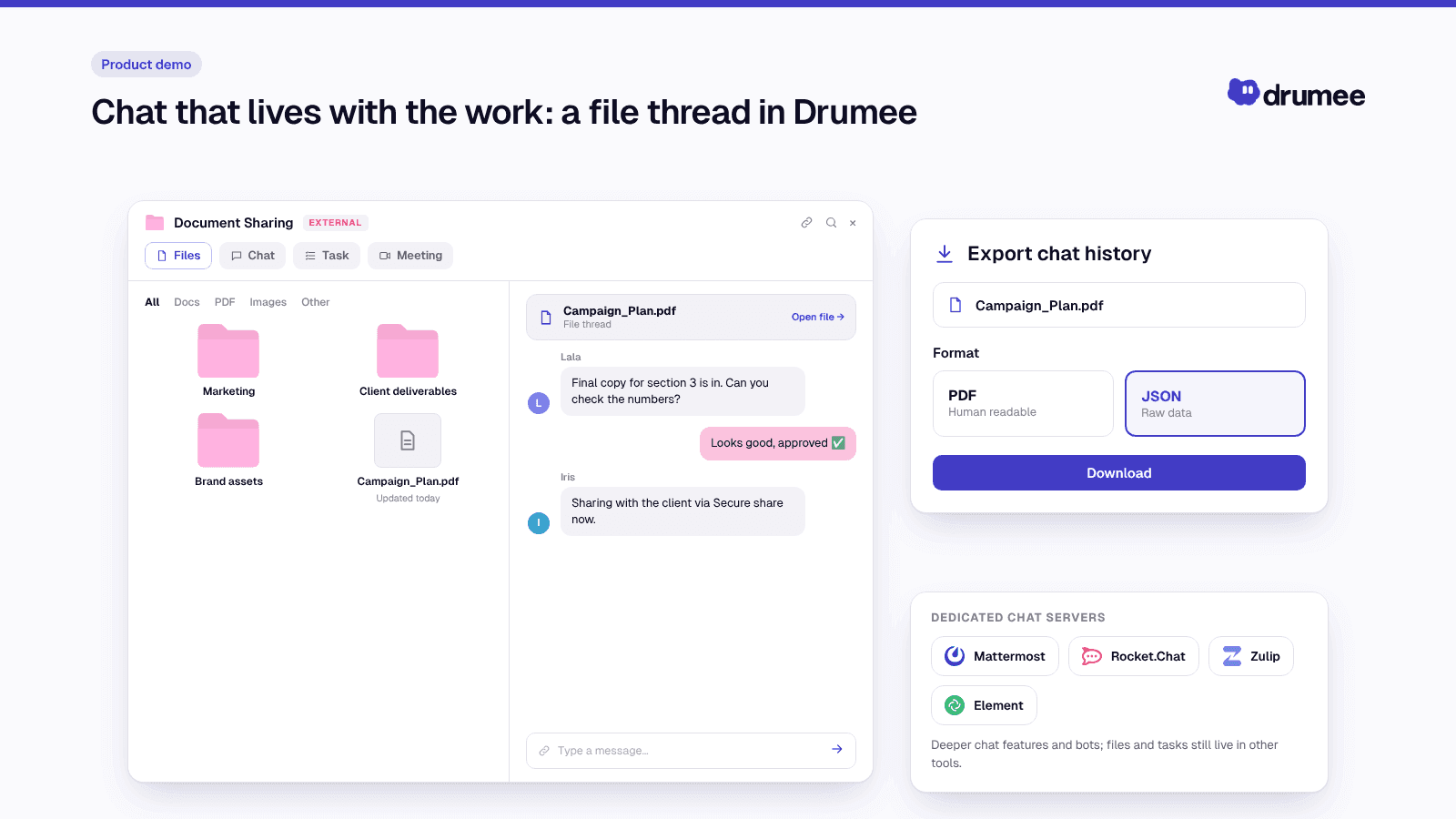
Chat that lives with the work: a file thread in Drumee.
Which Slack alternative gives a team the most control over its chat data?
The most control comes from an open source chat server you host yourself, because you hold the database, the backups and the export path. Zulip, Element, Rocket.Chat and Mattermost all give you that for chat. Drumee gives the same control over chat plus the files, folders and meetings the chat is about, and lets you export chat history.
Drumee is best for small teams that want to replace Slack and the tools around it rather than swap one chat app for another. Compared with dedicated self-hosted chat servers, Drumee trades chat depth, bots and integrations for one sovereign workspace where conversations stay attached to the files and tasks they are about.
Why teams look for a self-hosted Slack alternative
Teams rarely leave Slack because chat stopped working. They leave because of three pressures that grow with headcount: history limits, data control and dependence on one vendor's rules.
- Free plan limits. The free plan hides older messages and caps integrations, so a growing team's archive slips out of reach.
- Data control. Chat holds customer names, contract details and HR conversations. On Slack, that data lives with a US provider, which matters for EU teams under GDPR.
- Vendor dependence. Plan terms, retention rules and export options are set by the vendor, and they change on the vendor's schedule rather than yours.
Chat is also the most "sprawled" layer of most stacks. Files get dropped into threads, decisions get made next to them, and the task that follows lives in yet another tool. If that sounds familiar, our explainer on what tool sprawl is and how to fix it covers the wider pattern.
What Slack's free plan keeps, and what it hides
Slack Free is a real product, but it is built to make growing teams upgrade. According to Slack's help centre, free workspaces can access only the most recent 90 days of message and file history, and data older than one year is deleted. The free plan is also capped at 10 app integrations, as independent plan breakdowns such as Pumble's Slack plan guide confirm. Slack has also reshaped its paid plans in recent years, as its June 2025 packaging announcement shows, which is a reminder that the rules for your archive are not yours to set.
For a startup, that means decisions made in Q1 are invisible by summer. It also means your free Slack workspace is not an archive you can rely on, and that the export and retention options you have depend on the plan you are on.
That is the real argument for self-hosting. When the chat server and its database are yours, history is kept for as long as your retention policy says, and exports work on your terms. The rest of this comparison looks at how each option delivers that, and what it asks of you in return.
How we evaluated the self-hosted Slack alternatives
We compared each option on six criteria that matter to a 5–25 person EU team. Licence and limit facts were checked against at least two sources each, including vendor documentation where available.
- Licence: is the server open source, and under which licence?
- Self-hosting: can you run it on your own infrastructure, and is there a free self-hosted edition?
- Notable limits: user caps, history caps or features held back for paid plans.
- Chat depth: threading, integrations, bots and mobile apps.
- Scope: chat only, or chat plus files, tasks and meetings?
- GDPR fit: can you keep chat data off third-party processors entirely?
Self-hosted Slack alternatives at a glance
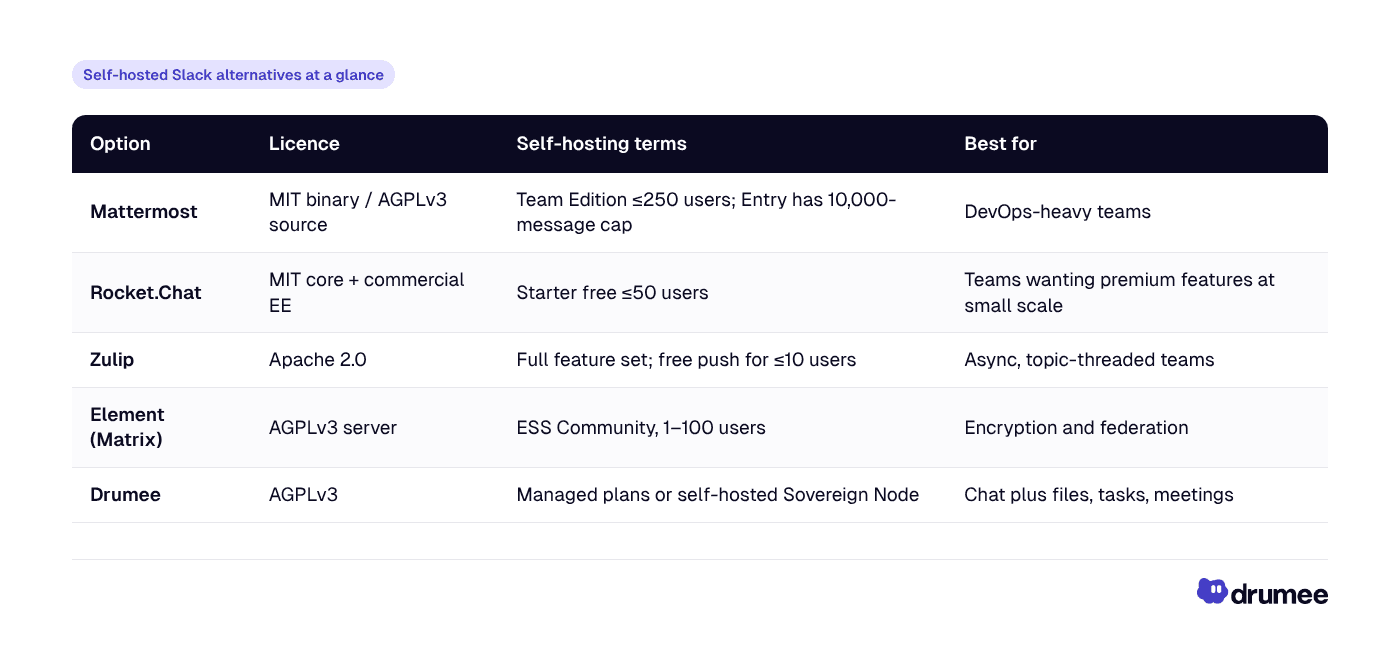
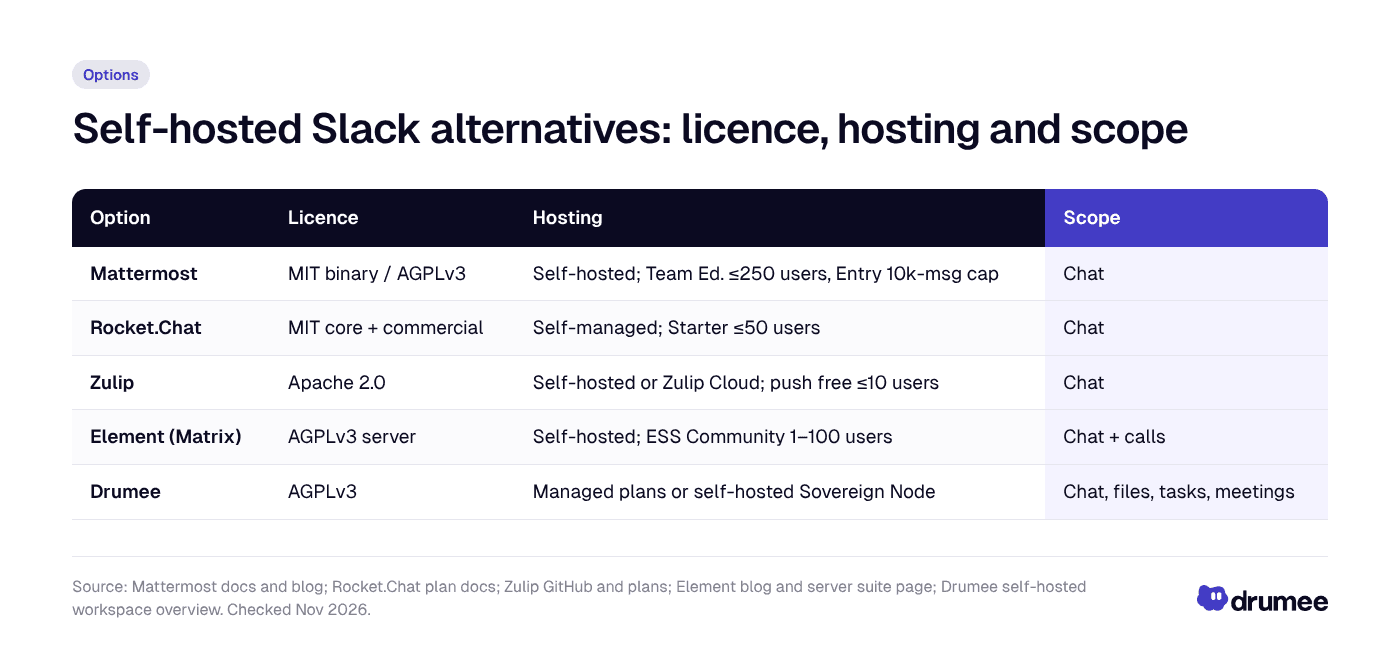
All five can keep chat on infrastructure you control; the four dedicated chat tools go deeper on messaging, while Drumee covers more of the workspace.
Mattermost: the closest Slack clone for technical teams
Mattermost is the option most people reach for first, because its interface and channel model feel closest to Slack. It is popular with engineering and DevOps teams.
Licence. Mattermost's open source project is licensed under AGPLv3, while the compiled Team Edition binary that Mattermost distributes is MIT-licensed, according to Mattermost's licensing FAQ and Wikipedia's summary.
Self-hosting and limits. Mattermost changed its free offerings with version 11 in late 2025. Per Mattermost's announcement and its editions documentation:
- Team Edition (MIT binary) is aimed at teams under 250 activated users without single sign-on; the cap was lowered from 1,000, and GitLab SSO was removed.
- Mattermost Entry is the new default free edition for small teams, and it limits visible message history to the most recent 10,000 messages, a change widely criticised by self-hosters, as reported by Gigazine and discussed on Mattermost's own forum.
How strictly the Team Edition cap is enforced is still debated in community threads, so test on the current version before you commit.
Strengths. Mature, Slack-like UX, strong integrations and webhooks, good fit for incident response and engineering workflows.
Trade-offs. The free editions now come with real limits, SSO sits behind paid plans, and files, tasks and meetings still need other tools.
Best for: technical teams that want a familiar Slack-style chat on their own servers and are comfortable running PostgreSQL and upgrades.
Rocket.Chat: premium features at small scale
Rocket.Chat is an open source chat platform with a wide feature set and an open-core business model. It is often chosen by teams that want premium features while they are small.
Licence. Rocket.Chat's code is MIT-licensed outside its enterprise (ee/) directories, which carry a separate commercial licence, as explained in Rocket.Chat's community forum.
Self-hosting and limits. Rocket.Chat's Starter plan is free for up to 50 users on a self-managed deployment and includes many premium capabilities with usage limits, according to Rocket.Chat's plan documentation and its Starter plan announcement. The cap started at 25 users and was later raised to 50. A Community edition is also listed in the plan docs.
Strengths. Broad feature set and a self-managed tier that covers most startups' headcount.
Trade-offs. Above 50 users you move into paid plans, the open-core split means some features are commercial, and like the others it is chat-first.
Best for: startups under 50 people that want premium chat features on their own servers.
Zulip: topic-based threading, fully open source
Zulip takes a different approach to chat. Every message belongs to a channel and a topic within it, so parallel conversations stay separate instead of scrolling past each other. Teams that work asynchronously across time zones often prefer it.
Licence. Zulip is released under the Apache 2.0 licence, with server, desktop and mobile apps all open source and no proprietary edition, per the Zulip GitHub repository and independent directories such as OpenAlternative.
Self-hosting and limits. Self-hosted Zulip runs with the full feature set. The one notable limit is mobile push notifications: Zulip's free self-hosted plan includes its Mobile Push Notification Service for organisations of up to 10 users, with paid plans above that, as set out in Zulip's December 2023 plans update and its self-hosted billing documentation. Zulip also offers a hosted service, Zulip Cloud, described on Zulip's plans page, for teams that prefer not to run the server.
Strengths. Excellent threading and a genuinely open source codebase under a permissive licence.
Trade-offs. The topic model takes adjustment for Slack users, and push notifications for larger teams need a paid plan.
Best for: async-first and distributed teams that are drowning in fast-moving Slack channels.
Element and Matrix: encryption and federation
Element is the best-known app for Matrix, an open standard for decentralised, federated messaging. Your server can talk to other Matrix servers, much like email, and rooms are end-to-end encrypted by default.
Licence. In November 2023, Element moved Synapse, the main Matrix homeserver, from Apache 2.0 to AGPLv3 for its future contributions, and moved the code to a new repository, as reported by Element, TechCrunch and The Register.
Self-hosting and limits. Element Server Suite (ESS) Community is a free, AGPL-licensed Matrix distribution aimed at small to medium organisations and evaluations, listed for 1–100 users, with end-to-end encryption on by default, per Element's server suite page and Element's blog. Larger and professional deployments are steered towards paid ESS Pro.
Strengths. Strong encryption story, federation across organisations, an open standard rather than a single vendor's protocol.
Trade-offs. Running a Matrix homeserver well takes more operational effort, and encryption adds key-management friction for users who lose devices.
Best for: organisations where encrypted, federated communication with partners or other agencies is the main requirement.
Drumee: chat that comes with files, tasks and meetings
Drumee is not a Slack clone. It is a sovereign workspace where chat is one layer alongside files, task boards, meetings and admin, all in one system you control. If you are replacing Slack because your stack has grown into Slack plus Drive plus a task tool, that difference is the point.
How chat fits in. In Drumee, conversations stay attached to the files and folders they belong to, so a decision about a document sits next to the document. A shared folder holds the files, conversations, tasks, meetings and access controls for that piece of work, as described in our overview of the Drumee self-hosted workspace. The next section looks at what that means day to day.
Licence and deployment. Drumee is open source under AGPLv3, per the same overview. You can choose:
- Drumee-hosted managed plans: Drumee runs the service, with audit logs, SSO/SAML and API access on the Business plan. Drumee publishes flat team plans; see the Drumee pricing page.
- Sovereign Node: fully self-hosted on your own infrastructure with SDK access and a dedicated SLA, arranged through Drumee sales.
Strengths. One system for chat, files, tasks and meetings, one audit trail, external workspaces for clients, and a self-hosted option that covers the whole workspace rather than chat alone.
Where dedicated chat tools win. Be clear-eyed here. Mattermost, Rocket.Chat, Zulip and Element are deeper on chat features: threading models, bots, slash commands, integrations and mature mobile apps. If chat is your team's operating system and you rely on dozens of integrations, a dedicated chat server will serve you better.
Best for: teams of 3–25 that want to retire Slack and the file and task tools around it, under one set of controls.
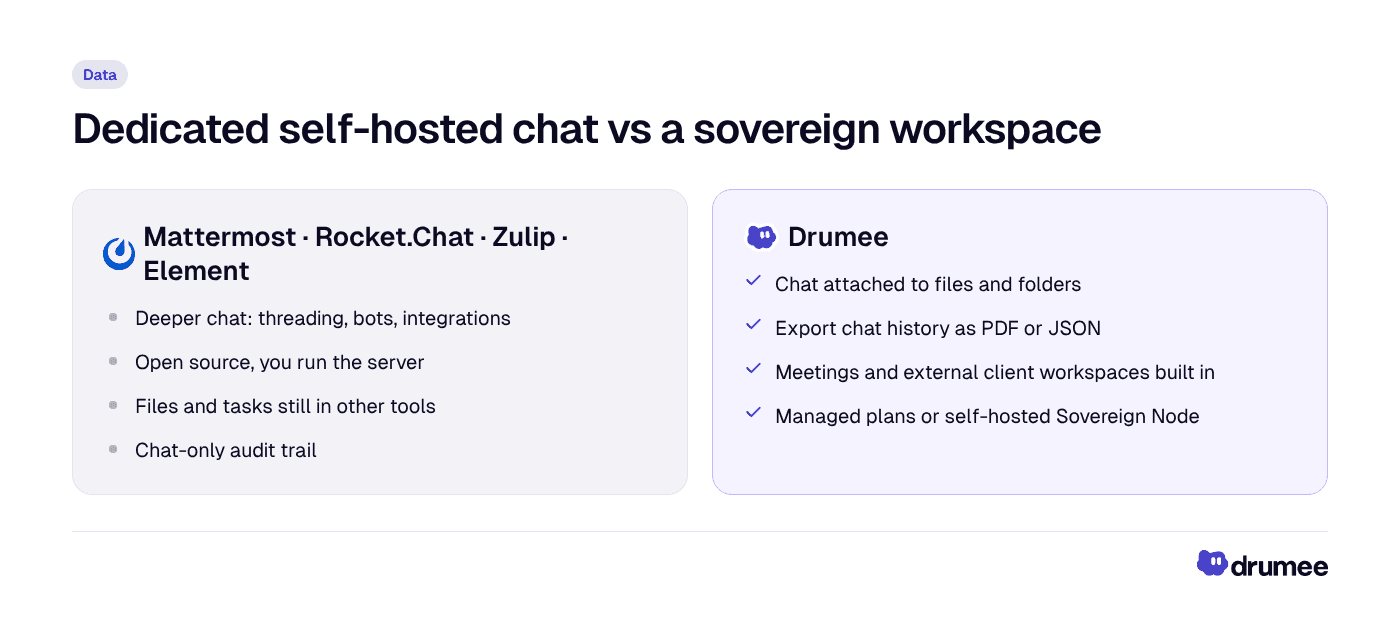
Choose a dedicated chat server when chat depth matters most; choose a workspace when the goal is fewer tools and one place for your data.
Chat in context: threads attached to files and folders
The biggest difference between a chat server and a workspace is where the conversation lives. In Slack and in most self-hosted chat tools, a discussion lives in a channel. The file being discussed lives somewhere else, often in a drive, and the link between them is a pasted URL that breaks when the file moves.
Drumee attaches the conversation to the work itself. According to Drumee's product overview and its product tutorials, chat works at two levels:
- Folder chat. Every folder has its own chat, so the conversation about a project sits inside the project. Teammates can be mentioned, and files from the folder can be dropped into the conversation.
- Chat threads on individual files. A single document can carry its own thread, so feedback on version three of a proposal stays on that proposal instead of being lost in a busy channel.
This matters most for the teams this comparison targets. A five-person agency or startup does not need fifty channels. It needs to find, six months later, why a contract clause was changed or who approved a design. When the thread sits on the file, the answer is on the file.
It also matters for GDPR. Personal data in chat is usually about something: a client file, an invoice, a CV. Keeping the conversation next to that file means one set of access controls governs both. When someone loses access to a folder, they lose access to the conversation about it too, rather than keeping it in a channel nobody remembered to clean up.
Exporting chat history as PDF or JSON
An archive you cannot get out of is not really yours. Drumee lets you export chat history as PDF or JSON, per Drumee's product overview and its product tutorials. The two formats serve different jobs:
- PDF is the human-readable record: something you can attach to a client handover, file with a contract or hand to an auditor.
- JSON is the machine-readable record: something you can archive, search, or import into another system if you ever leave.
Export also supports GDPR duties. Data subject access requests, legal holds and end-of-project archiving all go faster when the conversation can be pulled out in a standard format, rather than reconstructed from screenshots. The self-hosted chat servers above also offer export and administrative tools of their own, so test the export path for whichever tool you pick before you commit.
Meetings started from a chat
Most small teams follow the same loop: a chat thread gets complicated, someone says "let's just jump on a call", and a meeting link from yet another tool gets pasted into the channel. The decisions made on that call rarely find their way back.
Drumee keeps that loop in one place. You can start and join meetings from the workspace, from the folder where the project lives, according to Drumee's product overview. The meeting sits next to the folder's files and its chat, so the conversation before the call, the documents shown during it and the follow-up afterwards share one context and one set of permissions.
Among the dedicated chat tools, Element offers calls alongside chat, while the others typically connect to separate video tools through integrations. That can work well, but each integration is another processor to assess under GDPR and another place where data can sit.
External workspaces for clients
Slack Connect lets you share channels with other organisations, which is useful but places client conversations on the same US-hosted platform. Drumee offers external workspaces for clients, per the Drumee self-hosted workspace overview. Proposals, deliverables and review materials sit in a workspace built for collaboration with clients or partners, with its own chat, separate from your internal team space. For agencies, that is often the single biggest reason to move off Slack plus a file-transfer tool, a topic our guide to self-hosted workspaces for agencies covers in depth.
Self-hosted means you run it: the operational work
"Free and open source" refers to the licence, not to the work. Every self-hosted chat server needs someone to run it.
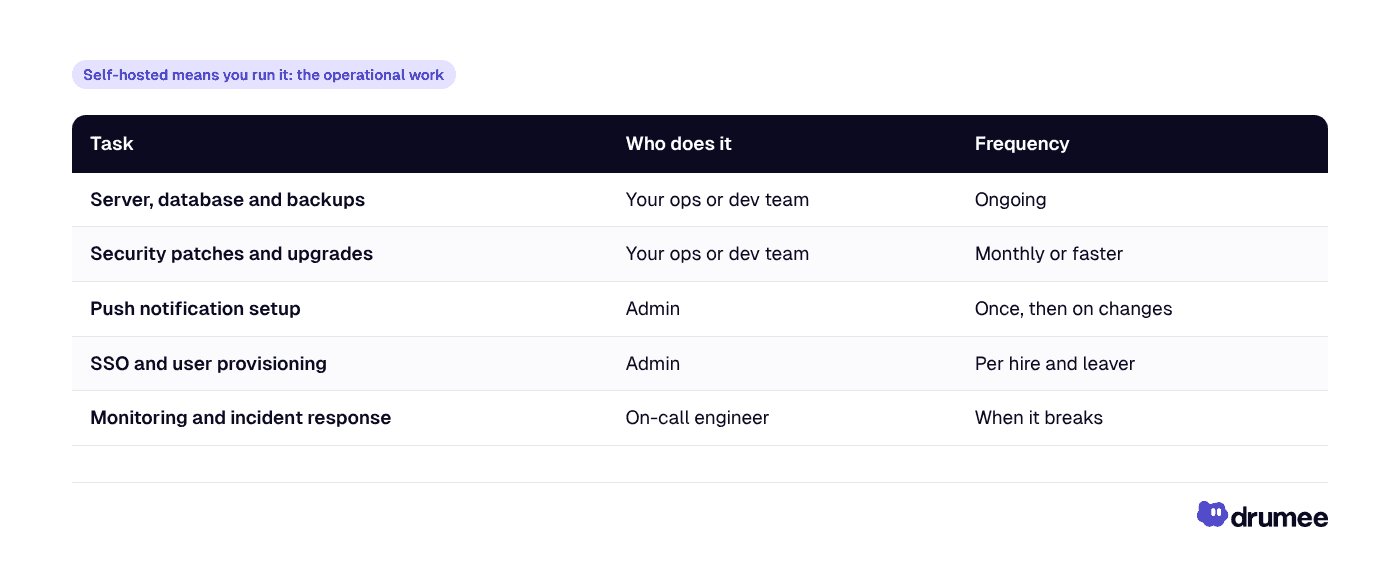
For a five-person startup with no ops person, those hours are the real commitment. That is why many small teams pick a managed plan first and move to self-hosting once they have the capacity. Drumee supports both paths: start on a managed plan and move to a Sovereign Node later. Our comparison of self-hosted vs SaaS for startups walks through when each makes sense.
An evaluation checklist for self-hosted team chat
Before you pick a tool, run each candidate through the same checklist. These are the questions that separate a pleasant pilot from a system you can rely on for years.
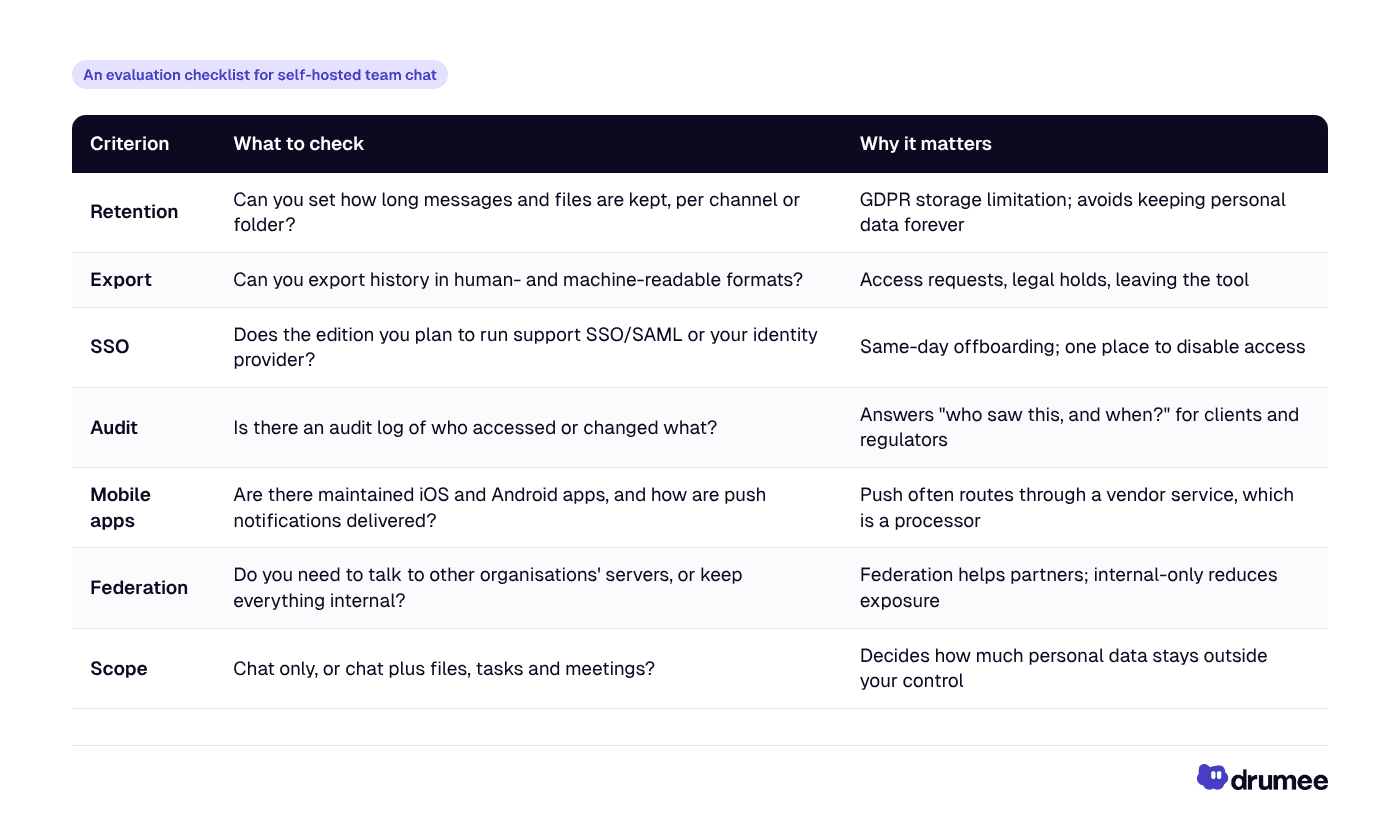
A few notes on using it:
- Test the edition you will actually run. Several tools hold SSO, audit logs or compliance exports back for paid editions, and free-edition limits have changed recently, as Mattermost's version 11 shows.
- Follow the push notifications. Mobile push is the one part of most self-hosted chat that usually touches a vendor's service. Find out what data goes through it.
- Try the export on day one. Export a test channel or folder during your pilot. If the result is unreadable or incomplete, you have learned something important early.
- Score scope honestly. If your files stay in Google Drive and tasks in a US tool, self-hosting chat alone leaves most of your personal data where it was.
The GDPR angle: why self-hosted chat matters in the EU
Chat is where personal data piles up without anyone planning it. Customer names, invoices, sick-day messages and screenshots all end up in threads.
When chat runs on a vendor's servers, that vendor is a processor under GDPR. Article 28 requires a written data processing agreement with it, and international transfers fall under Articles 44–49. After the CJEU's Schrems II ruling invalidated Privacy Shield in 2020, those transfers have stayed under legal scrutiny.
US providers bring an extra layer. The US CLOUD Act obliges US companies to disclose data in their "possession, custody, or control" regardless of where it is physically stored.
- Self-hosted chat removes the chat vendor as a processor. The data sits on servers you or your EU hosting provider operate.
- It does not remove your duties. You still need retention rules, access controls and security under Article 32.
- Scope matters. Self-hosting chat while files sit in Google Drive and tasks in a US SaaS tool leaves most of your personal data where it was.
The stakes are not theoretical: regulators have issued €7.1 billion in cumulative GDPR fines since 2018, according to DLA Piper's January 2026 survey.
That last point is where a workspace approach helps. A Drumee Sovereign Node keeps chat, files, tasks and meetings on your infrastructure together. Our guide to GDPR compliance with Drumee covers the details, and GDPR-compliant file storage for teams covers the files side.
Verdict: which self-hosted Slack alternative should you choose?
There is no single winner. The right choice depends on whether you are replacing chat or replacing a stack.
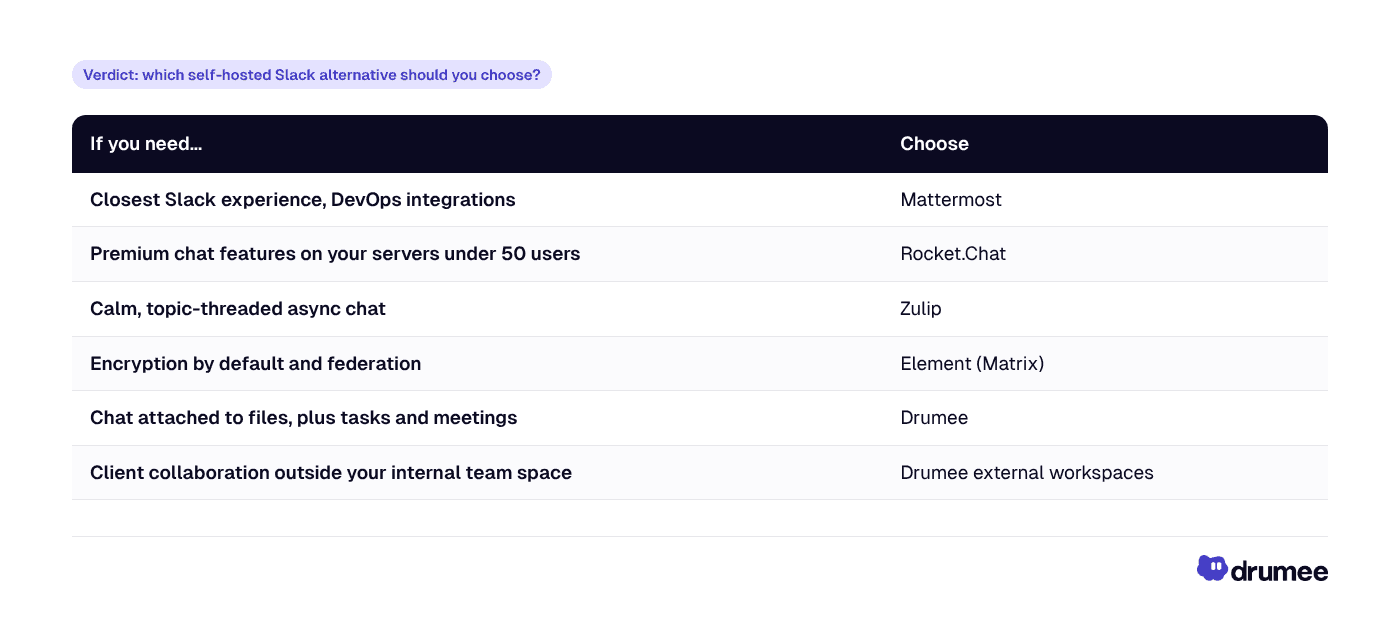
Best for chat depth: any of the four open source chat servers, if you already have someone to run them. Best without ops work: a managed plan, such as Drumee's, with the option to self-host later. Best for GDPR: any self-hosted option for chat alone; a Drumee Sovereign Node if you want files, tasks and meetings under the same control.
How to move off Slack in five steps
Whichever option you choose, the migration follows the same shape.
- Export what you need. Decide which channels and history you must keep, and check what your Slack plan allows you to export.
- Pick the scope. Decide whether you are replacing chat only, or chat plus files and tasks. This decides between a chat server and a workspace.
- Pilot with one team. Run one team on the new tool for two to four weeks, with real work, before inviting everyone. Use the checklist above to score it.
- Set the norms. Define channel or folder naming, what goes in chat versus tasks, and retention rules for GDPR.
- Cut over and close. Move everyone on a fixed date, set Slack to read-only, then close the old workspace once its history is archived.
If you are also leaving Google, our guide on how to quit Google Workspace covers the files and email side.
FAQ
What is the best self-hosted Slack alternative for GDPR?
Any chat server you host on infrastructure you control removes the chat vendor as a GDPR processor. Mattermost, Rocket.Chat, Zulip and Element all do this for chat. If your files and tasks also contain personal data, a Drumee Sovereign Node keeps chat, files, tasks and meetings on your own infrastructure in one system.
Which Slack alternative gives my team the most control over its chat data?
A self-hosted open source server gives you the database, the backups and the export path. Zulip, Element, Rocket.Chat and Mattermost do this for chat. Drumee does it for chat plus the files and folders being discussed, and lets you export chat history as PDF or JSON.
Is Mattermost still free to self-host?
Yes, with limits. Mattermost's MIT-licensed Team Edition targets teams under 250 activated users without SSO, and the newer Mattermost Entry edition limits visible history to the most recent 10,000 messages. Check the current editions page before you deploy, because the terms changed with version 11.
Can I export chat history from a self-hosted Slack alternative?
Yes. Because you run the server, you control the data and its export path, though formats and tools differ by product, so test export during your pilot. In Drumee, you can export chat history as PDF for people or JSON for systems.
Can Drumee replace Slack completely?
For many small teams' internal chat, yes, and it also covers files, tasks and meetings. It is not as deep as dedicated chat tools on bots, slash commands and integrations, so teams that run heavy automation through chat may prefer Mattermost or Rocket.Chat.
Conclusion: replace the chat, or replace the stack
Slack keeps your team's conversations on a US provider's servers, under retention and export rules it sets, and its free plan hides anything older than 90 days. Self-hosted chat servers put messages back on your infrastructure, at the price of running them.
If chat is the only thing you want to move, pick the open source server whose model fits your team. If you want to replace Slack and the file and task tools around it, Drumee gives you chat attached to files and folders, meetings and external client workspaces in one system, with the option to self-host everything on a Sovereign Node.
Next step: read our overview of the Drumee self-hosted workspace, then move one project, its files and its conversation into one place.
Keep reading
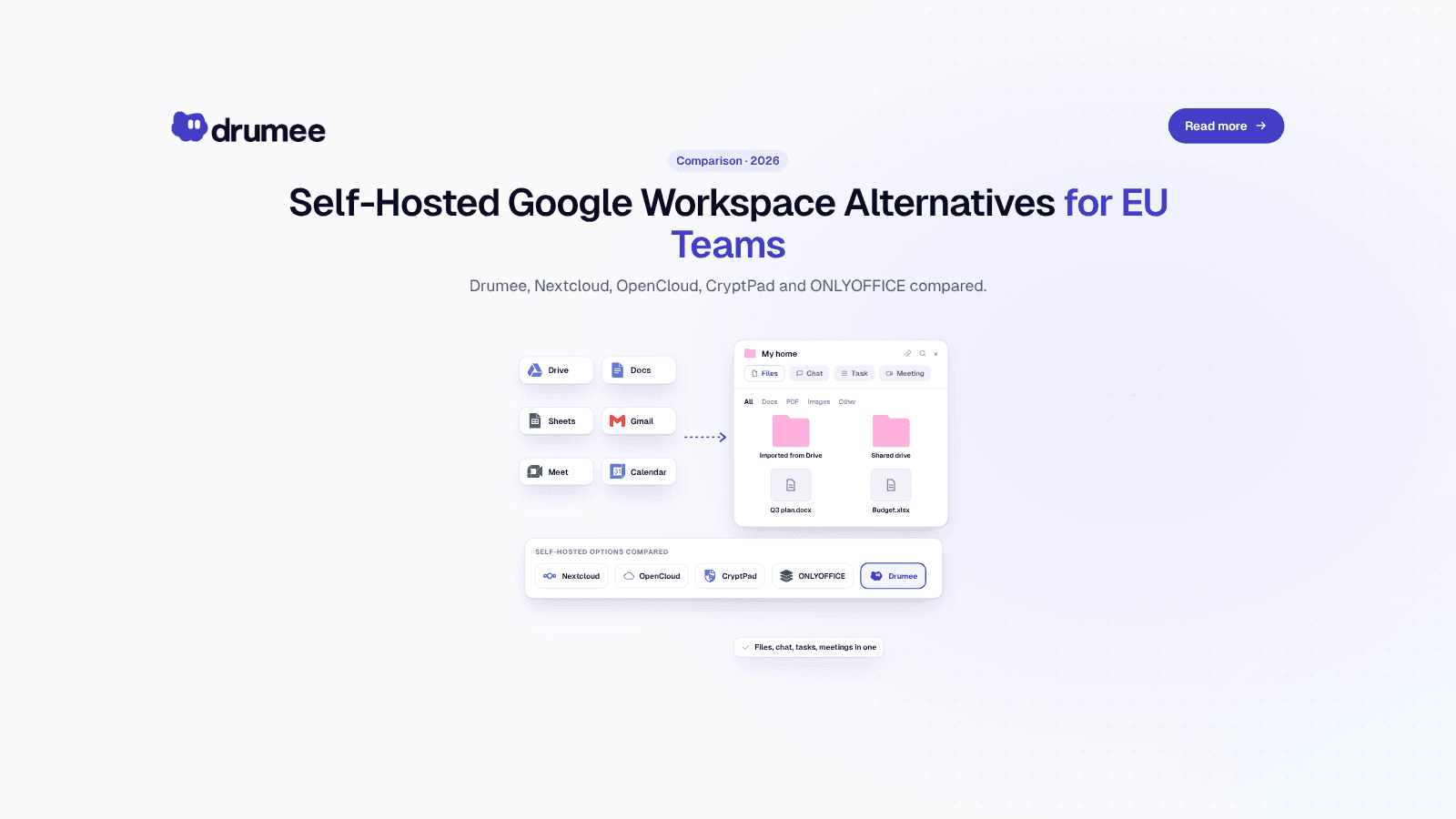
Self-Hosted Alternatives to Google Workspace: 2026 Guide for EU Teams
Google Workspace is the default office stack for most European startups. It is also a US-controlled service whose list price went up in January 2025, whose data sits under US legal reach, and whose exit path takes days of admin work. For a growing...
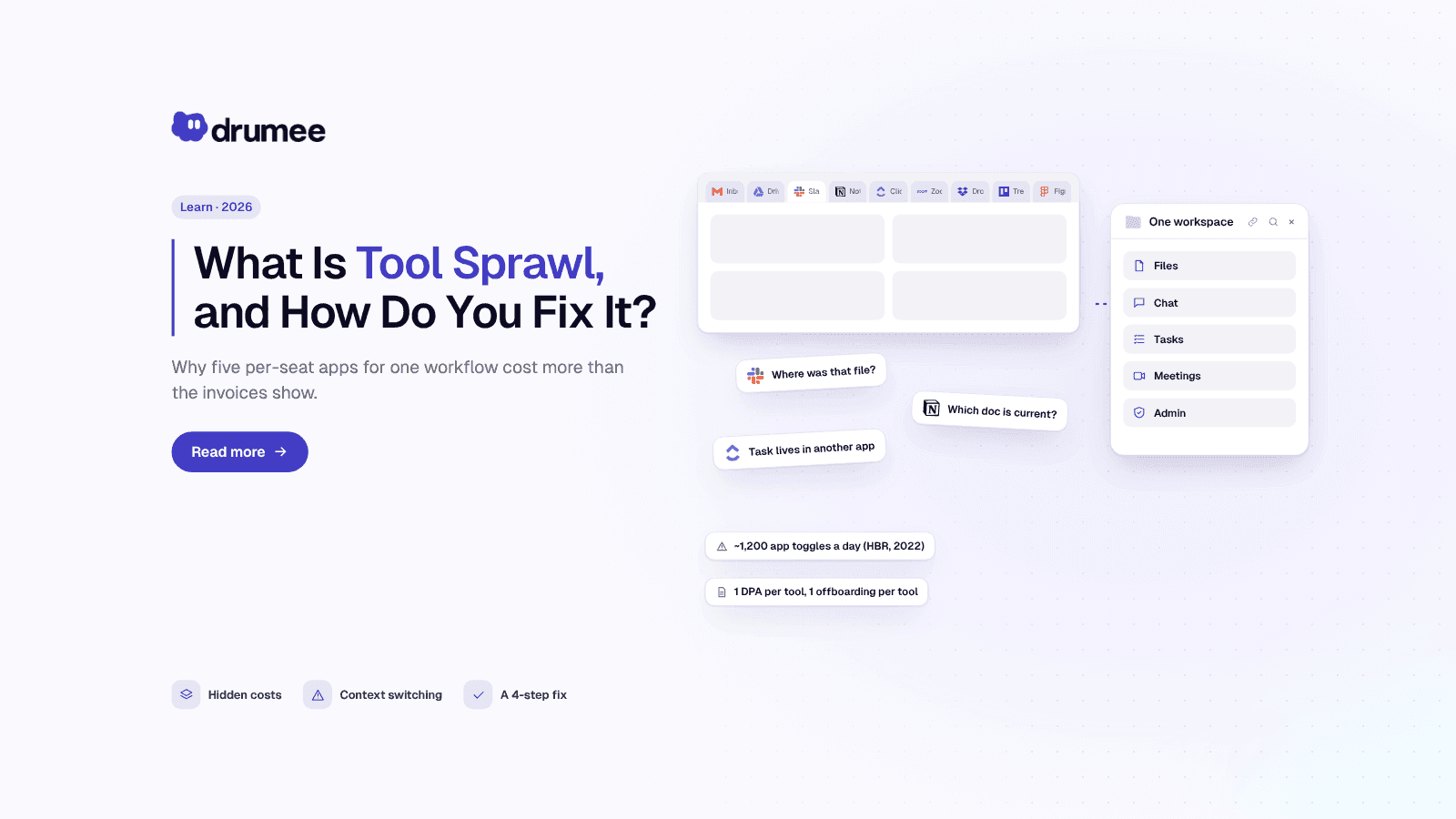
What Is Tool Sprawl and How to Fix It in 2026
Nobody decides to build a messy stack. A startup adds Slack on day one, Google Drive on day two, Notion when the wiki gets real and ClickUp when the roadmap stops fitting in a spreadsheet. Two years later, a simple question like "where did we deci...
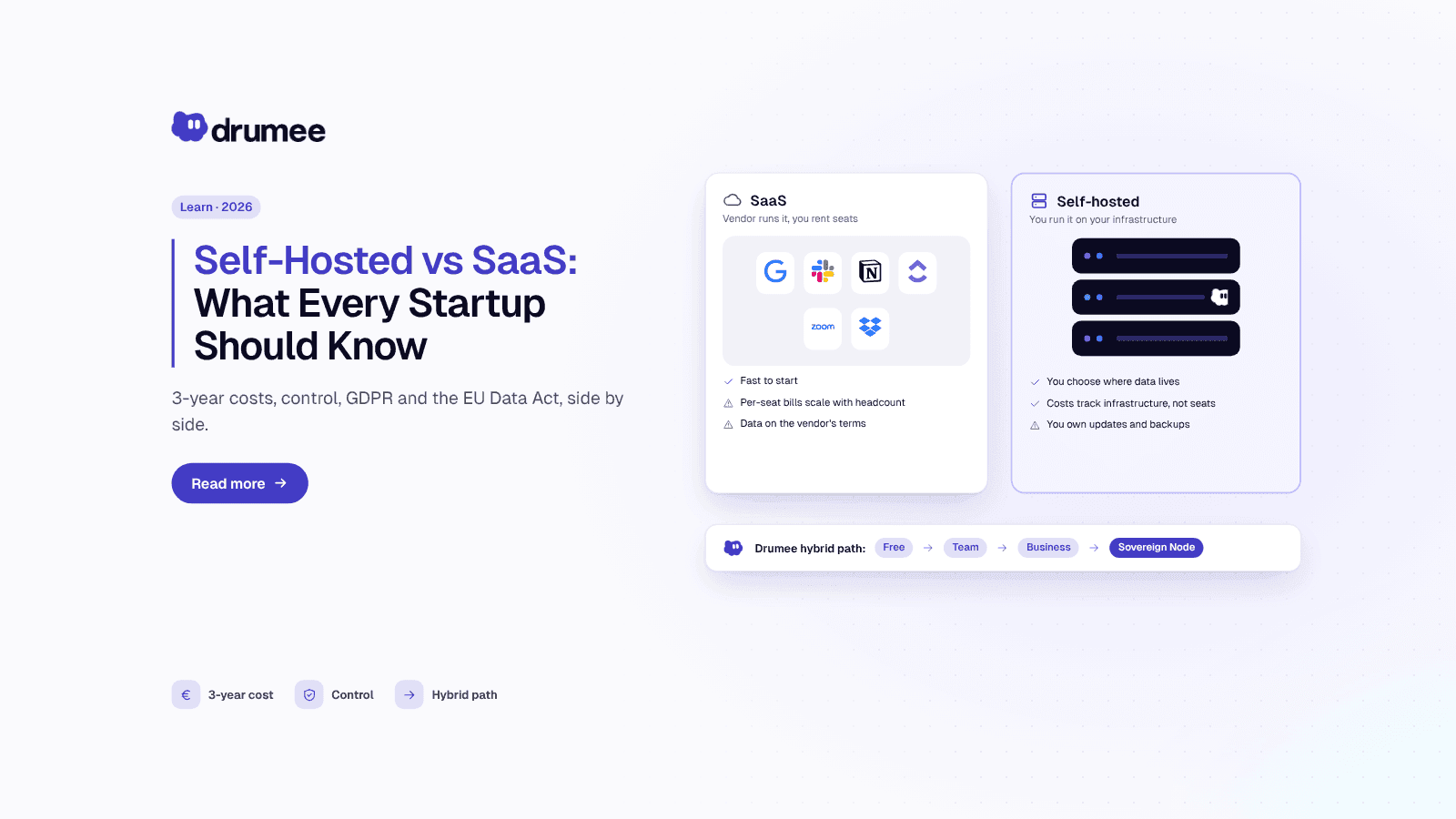
Self-Hosted vs SaaS: What Every Startup Should Know Before Choosing
Every startup makes the self-hosted vs SaaS decision, usually without noticing. The first tool someone signs up for with a company card becomes the default, and three years later the team is renting a dozen per-seat products it never consciously c...