
Self-Hosted vs Cloud Notion: Which One Actually Owns Your Workspace?
Cloud Notion gives you access to a workspace on infrastructure you don't own, at prices you can't control. This is a practical comparison of Notion vs self-hosted for teams asking who actually owns their workspace in 2026.
Self-Hosted vs Cloud Notion: Which One Actually Owns Your Workspace?
The question of Notion versus self-hosted infrastructure is rarely framed as honestly as it deserves to be. Most comparisons focus on features, interface quality, and deployment complexity, useful considerations, but not the ones that determine whether your organization retains genuine ownership of the workspace it has built. The more consequential question is structural: when your team's institutional knowledge, documentation, decision history, and operational context accumulates inside a platform, does the organization own the environment where that knowledge lives, or does it own only the right to access that environment at a price determined by someone else? In 2026, as Notion's pricing architecture has undergone significant restructuring and its AI layer has expanded significantly, the answer to that question carries financial, governance, and strategic implications that every team building on Notion infrastructure deserves to understand clearly.
What Notion's Cloud Model Actually Gives You
Notion's product quality is not in dispute. Its block-based editor, relational database system, flexible page hierarchy, and increasingly capable AI features have made it the default workspace for hundreds of thousands of teams globally. The product is genuinely excellent at what it is designed to do. And for teams whose primary concern is operational velocity, rapid adoption, minimal setup, a polished collaborative experience, cloud Notion delivers real and measurable value. The dispute is not about whether Notion works well. It is about what your organization actually owns when it builds its operational infrastructure inside a platform it does not control.
What cloud Notion gives you is access to content you created, on servers Notion operates, under governance terms Notion sets, at prices Notion determines. The distinction between access and ownership is not semantic. It becomes concrete every time Notion changes its pricing structure, modifies its terms of service, restructures its AI offering, or makes a product decision that affects the cost or terms of your continued dependency. These events happen regularly. In May 2025, Notion eliminated the standalone AI add-on that had allowed teams to access AI features on Plus or Free tiers, and bundled full AI access exclusively into the Business tier. According to Alfred's 2026 Notion pricing analysis, the practical consequence was immediate: teams that had previously accessed AI at the Plus tier for approximately $18 per user per month now faced a binary choice, stay on Plus without meaningful AI access, or jump to Business at $20 per user per month minimum. There was no incremental path. The decision was made by Notion's product team, and the only available organizational response was acceptance or departure.
That is the access model in concrete form. The product works well. The governance terms are set by the vendor. The pricing trajectory is controlled unilaterally. The options available to your organization at each decision point are the options the vendor chooses to offer.
The Real Cost Structure in 2026
The pricing picture for cloud Notion in 2026 is more complex than the published per-seat rates suggest, and understanding the full cost structure is essential context for any honest comparison against self-hosted infrastructure. CheckThat.ai's independent 2026 Notion pricing analysis, drawing on real billing data and user-reported experiences, documents a set of costs beyond the base per-seat subscription that catch teams off guard with meaningful frequency.
The Business plan at $20 per user per month (billed annually) is the realistic baseline for any team that needs AI features, SAML SSO, or private teamspaces, meaning any professional team with security requirements or that intends to use Notion AI in production. For a 50-person team, that is $12,000 per year at minimum. Hidden costs compound the figure: Year 1 implementation and migration runs $2,400–$6,000. Custom domain fees add $480 per year per five domains. Seats removed mid-cycle generate no credit but do remain available for reassignment, meaning a September 2024 policy change now means organizations pay for unused seats until the next renewal cycle even if those seats have been vacant for months. According to CheckThat.ai's documentation of user complaints, guest-to-member auto-conversions have triggered unexpected billing charges documented in multiple Better Business Bureau complaints. The hidden cost pattern is not exceptional. It is a structural feature of per-seat cloud billing that compounds as organizations grow and as vendor policies evolve in directions that benefit the vendor's revenue at the margin.
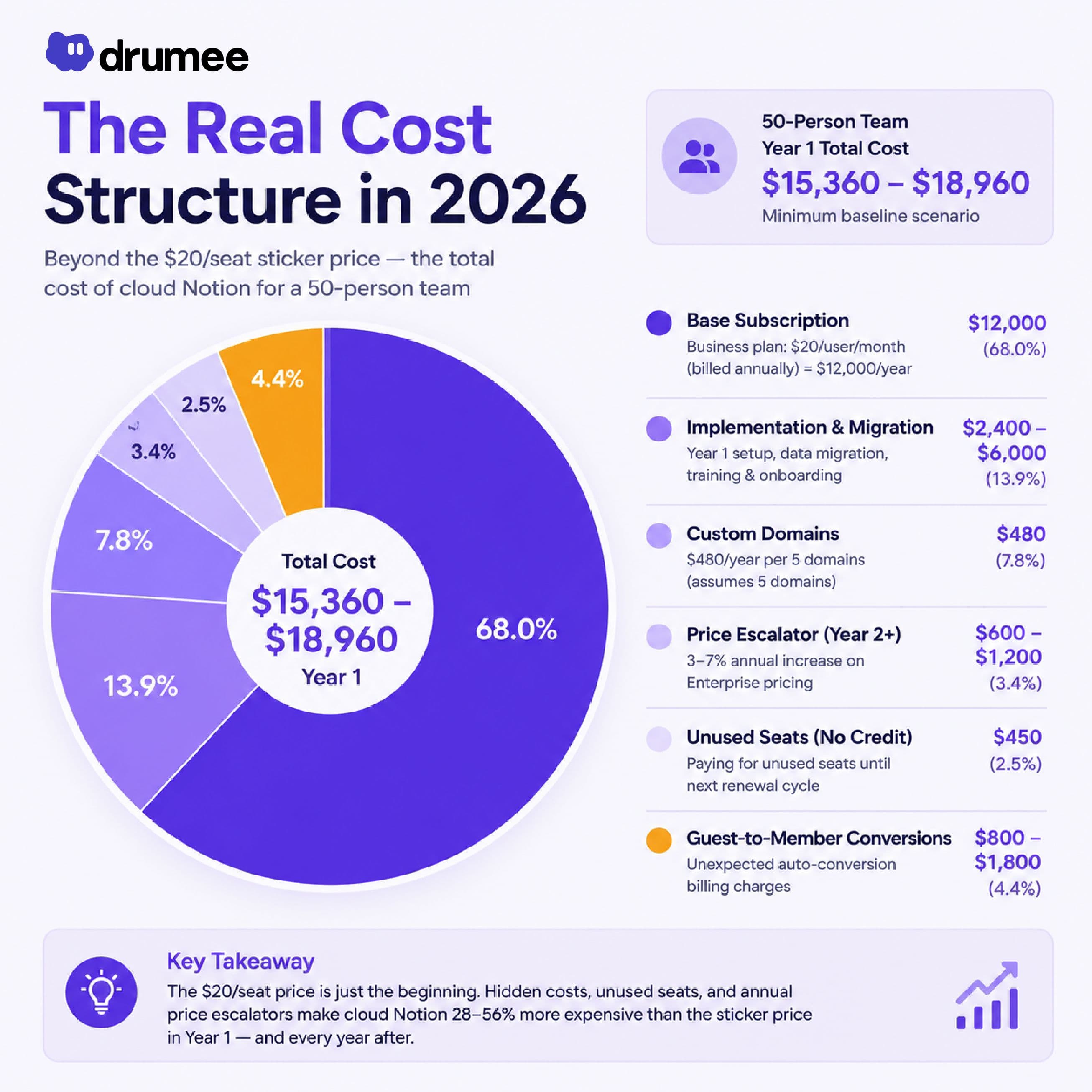
Vendr's 2026 pricing dataset adds a further dimension: Enterprise pricing for Notion typically starts at $25–$30 per user per month for teams of 100 or more, with annual price escalators of 3–7% baked into standard contracts. Buyers who do not specifically negotiate to cap those escalators absorb compounding price increases at renewal, with no corresponding improvement in their infrastructure control or governance posture.
The Infrastructure Control Problem
Beyond pricing, the structural issue with cloud Notion that matters most for organizations building long-term operational infrastructure is one that cannot be resolved through contract negotiation or feature configuration: you cannot self-host Notion. The platform does not offer this option at any price point or plan tier. Every page, database, workflow, and piece of institutional knowledge your team creates inside Notion exists on Notion's servers, under Notion's administrative control, processed by systems Notion governs.
Notion's own data residency documentation makes the scope of this condition explicit. Data residency options, allowing Enterprise customers to choose whether data at rest is stored in a specific geographic region are available exclusively to Enterprise plan customers working with a Notion account team. By default, all workspace data is hosted in the United States. Processing of data outside the selected region can still occur through Notion's subprocessors, including AI providers. Notion Calendar and Notion Mail features are not covered by data residency at all. The granularity of infrastructure control available through cloud Notion's most expensive tier is a setting within Notion's own infrastructure, not ownership of the infrastructure itself.
This condition is not incidental. It is by design. Notion's business model requires that operational data accumulate on infrastructure Notion controls, because that accumulation is precisely what makes the per-seat subscription renewal the path of least resistance. BackupLABS' analysis of Notion data portability notes a critical limitation that every organization building on Notion should understand: while Notion allows workspace export in Markdown and CSV formats, you cannot instantly recreate your workspace by reuploading exported content. The export is a backup, not a migration path. The relational structure of Notion databases, the permission model, the page hierarchy, and the connected workflow logic do not transfer cleanly to another environment. The institutional knowledge your team has built inside Notion's proprietary architecture is, to a significant extent, native to that architecture. It does not travel.
"There's a difference between a tool that stores your data and a platform that holds your institutional knowledge. When your team's most important context, how decisions get made, how clients are served, how knowledge flows between people, exists only inside a vendor's system, that's not a productivity tool anymore. That's an infrastructure dependency. And infrastructure you don't own can always be repriced, restructured, or taken away." - Somanos Sar, Founder, Drumee
What Does Self-Hosted Infrastructure Actually Change?
The alternative to cloud Notion is not a single tool but an architectural position: placing your team's operational environment on infrastructure your organization controls and administers. In 2026, this is practically achievable for any team with a basic technical lead. The open source self-hosted workspace landscape has matured significantly, and the deployment friction that once made self-hosted infrastructure an enterprise-only proposition has largely dissolved through Docker containerization, modern orchestration tooling, and accessible VPS infrastructure.
What self-hosted infrastructure changes, fundamentally, is the locus of governance authority. When your workspace runs on your own server, the permission model is enforced by systems you administer. The AI systems that interact with your operational content access it within a boundary you configure. The pricing trajectory is your VPS infrastructure cost, stable, predictable, and independent of Notion's product decisions. The data residency question is answered by your choice of hosting provider, not by Notion's Enterprise sales team. The export and migration question dissolves, because the data was never in a proprietary format on someone else's server to begin with.
The ownership condition that self-hosted infrastructure creates is structural rather than contractual. It does not depend on a vendor's willingness to honor a data portability commitment. It does not require negotiating a cap on annual price escalators. It does not leave the organization's governance posture subject to a product decision made by Notion's team in response to investor pressure or competitive positioning. The organization owns the environment because it runs the environment.
Where Is Drumee Architecturally Different?
Most discussions of self-hosted Notion alternatives focus on replicating Notion's specific features, documentation, knowledge bases, relational databases, in a self-hosted environment. AppFlowy, Outline, AFFiNE, and Docmost each address this problem with varying degrees of feature parity and operational maturity. They are genuine improvements over cloud Notion for organizations whose primary concern is knowledge base sovereignty.
What they share with cloud Notion, however, is the assumption that a workspace is primarily a documentation tool. The institutional knowledge that matters most to a team accumulates not only in pages and databases, it accumulates in the conversations that inform those pages, the files that accompany them, the permission context that governs who sees and acts on them, and the task workflows that translate documented decisions into executed work. In cloud Notion and in most self-hosted documentation alternatives, these layers exist in separate vendor-controlled environments: files in Google Drive, conversations in Slack, tasks in Linear or Jira, documentation in Notion or its self-hosted equivalent.
Drumee is built on the premise that the workspace ownership problem is not a documentation problem. It is an infrastructure architecture problem. A sovereign data OS where files, chat, tasks, and permissions coexist inside a single environment that the organization controls addresses the ownership question across every layer where institutional knowledge accumulates, not only the documentation layer. When your team's files, conversations, and task context live in the same self-hosted environment with a consistent permission model, the fragmentation that distributes operational authority across multiple vendor-controlled systems disappears at the infrastructure level.
The ownership question the title of this article poses which model actually owns your workspace, has a clear answer when framed architecturally rather than contractually. Cloud Notion offers you access to a workspace on infrastructure you do not own, at prices you cannot control, under governance terms you cannot modify. Self-hosted infrastructure, and Drumee's sovereign data OS specifically, offers you ownership of the environment itself: the code is open source and auditable, the data lives on servers you administer, the permissions are yours to define and enforce, and the pricing is determined by your infrastructure choices rather than a vendor's product roadmap.
For teams that have reached the point where the governance gap between access and ownership has become operationally material, where a pricing restructure, an AI governance concern, or a data residency requirement has made the distinction concrete rather than theoretical, that architectural difference is precisely what the self-hosted model is designed to deliver.
FAQ
1/ Can you self-host Notion?
No. Notion does not offer a self-hosting option at any plan tier. All workspace data is hosted on Notion's servers by default, with optional data residency configuration limiting where data is stored at rest, available exclusively to Enterprise customers working with a Notion account team.
2/ What is the cost of Notion Business plan in 2026?
Notion's Business plan is $20 per user per month billed annually ($24 monthly). Full AI access including AI Agents and Ask Notion requires Business tier as of May 2025, when the standalone AI add-on was eliminated. Enterprise pricing starts at approximately $25–$30 per user per month for larger teams, per Vendr's transaction dataset.
3/ What are the hidden costs of Notion?
Beyond the base per-seat rate, verified hidden costs include Year 1 implementation of $2,400–$6,000, custom domain fees of $480 per year per five domains, inability to reclaim unused seats mid-cycle, guest-to-member auto-conversions that trigger unexpected billing, and annual price escalators of 3–7% in standard contracts.
4/ What happens to your data if you leave Notion?
Notion allows workspace export in Markdown and CSV formats. However, according to Notion's own documentation, you cannot instantly recreate your workspace by reuploading exported content. Relational database structures, permission models, and workflow logic do not transfer cleanly. Data residency is only available to Enterprise plan customers.
5/ How does Drumee compare to Notion for data ownership?
Drumee is a self-hosted sovereign data OS licensed under AGPLv3 that unifies files, chat, tasks, and permissions in a single environment the organization controls. Unlike Notion, there is no vendor controlling the infrastructure, no per-seat pricing escalator, and no proprietary data format that creates migration friction. The organization owns the environment because it runs the environment.
Related article: Google Drive Alternative for Privacy-First Teams: What Actually Changes When You Switch Drag
------------------------------
About Drumee
Drumee is the world’s first unified sovereign data infrastructure: a self-hosted, OS-like workspace that turns your own filesystem into a private collaborative environment.
Fully under your control, Drumee combines files, chat, tasks, and workflows with enterprise-grade permissions built directly into the infrastructure layer. No cloud vendors. No fragmented SaaS stack. No operational dependency.
Instead of renting your workspace from external providers, Drumee allows organizations to own the environment where operational knowledge lives.
Your Data. Your Workflow. One system. Built to be yours!
Follow us at: Website | X | LinkedIn | Drumee Founder X | Drumee Founder LinkedIn
Keep reading
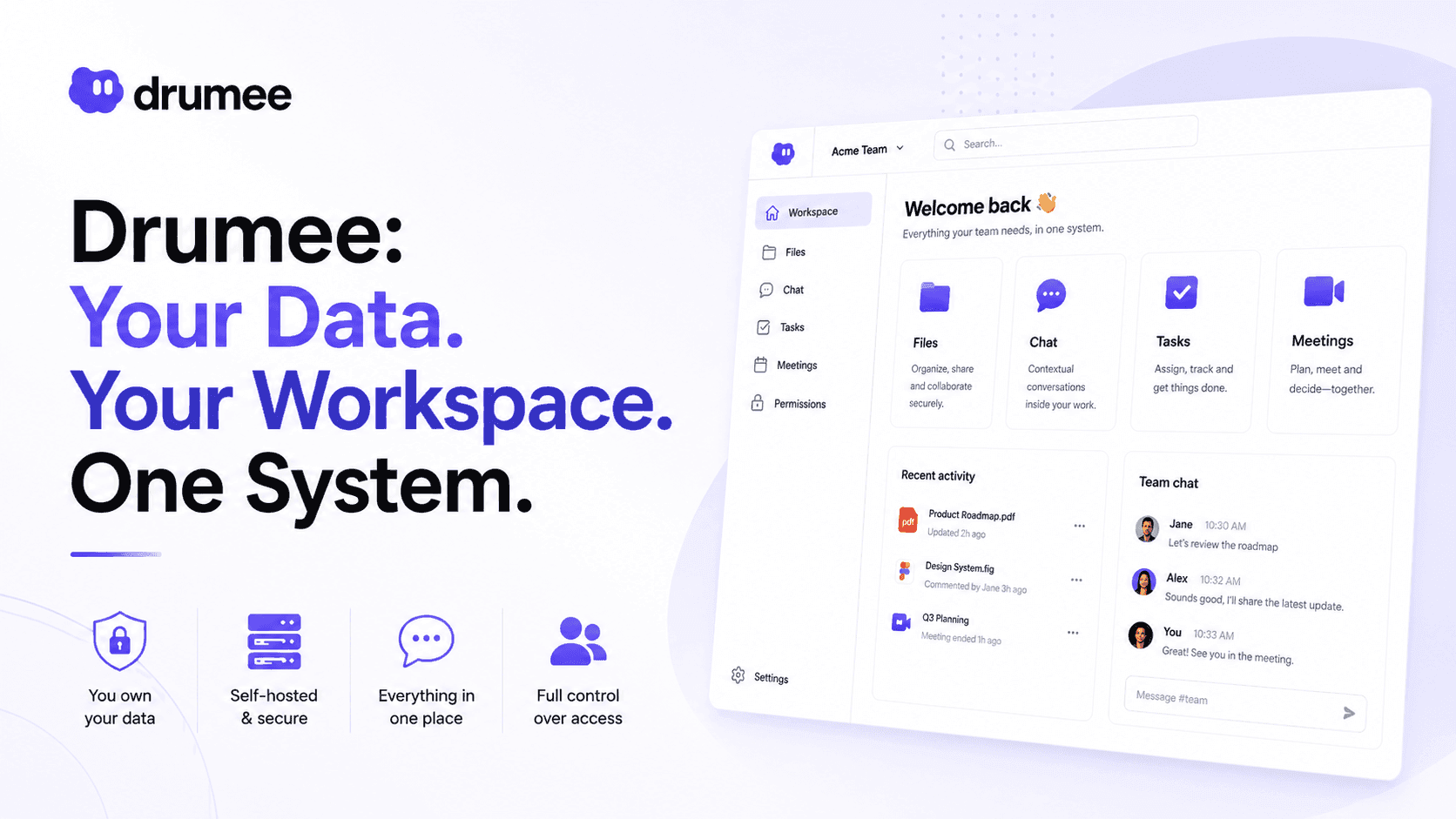
Drumee: Your Data. Your Workspace. One System
Drumee is a self-hosted, sovereign data workspace where files, chat, tasks, and permissions live in one place on infrastructure you own. Learn what Drumee is, what it stands for, and how to get started.
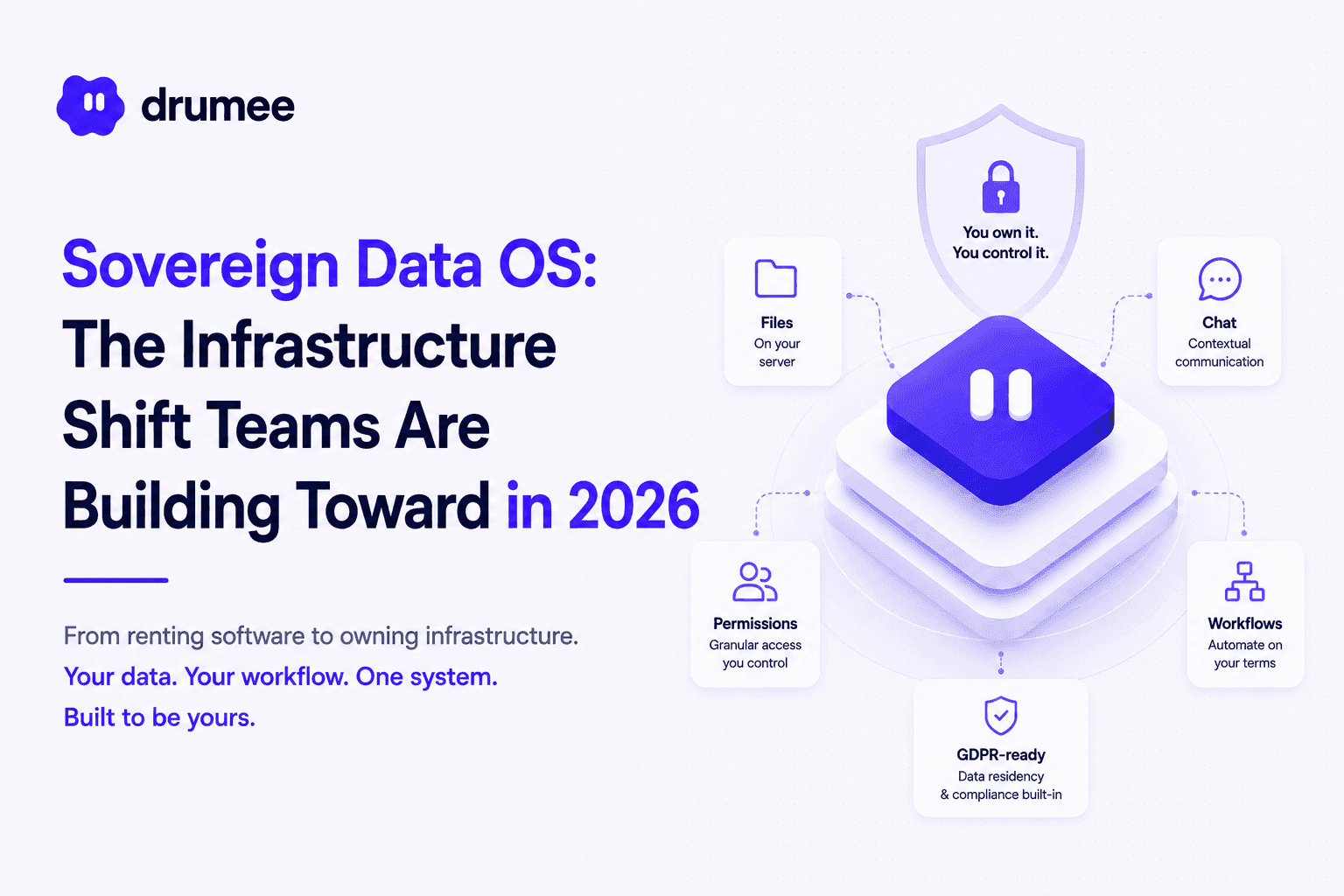
What Is a Sovereign Data OS? The Infrastructure Shift Teams Are Building Toward in 2026
What is a sovereign data OS? Learn how Drumee's unified self-hosted infrastructure replaces fragmented SaaS stacks with a single governable environment for files, chat, permissions, and workflows in 2026.
Data Ownership: What It Means and How to Achieve It in 2026
What is data ownership and how do you actually achieve it? Learn the three layers of data control, why AI changes the stakes, and how self-hosted infrastructure gives teams genuine ownership in 2026.